What is SpellBox?
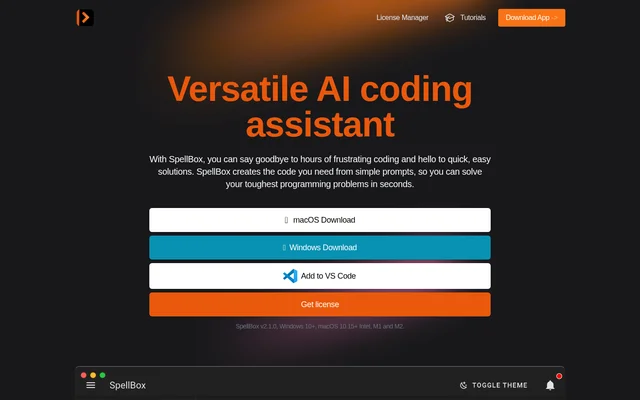
SpellBox is an AI coding assistant for generating code from written prompts, understanding code through explanations and saving useful snippets. SpellBox is intended for professional developers, students, teachers, hobbyists and others who need to write code. The product is available through standalone desktop applications and a VS Code extension rather than being described solely as an editor-specific tool.
SpellBox supports major programming languages, according to the website. The page illustrates programming tasks with examples involving orbital mechanics in C++, a quadratic equation in MATLAB and a Python problem. These examples show the kinds of requests presented on the page without establishing an exhaustive list of supported languages.
What SpellBox can do
SpellBox brings code creation, explanation and snippet storage into the same coding assistant. Users can describe a programming need to generate code, seek explanations to understand code they are working with, and bookmark snippets for later retrieval. The website also states that the VS Code extension exposes all SpellBox features inside the editor.
- SpellBox generates code from a prompt or description.
- SpellBox explains code to support understanding.
- SpellBox bookmarks code snippets for later retrieval.
- SpellBox provides its features within VS Code.
- SpellBox offers standalone applications for Windows and macOS.
How SpellBox works
SpellBox starts code generation with a prompt or description of the required code. SpellBox then generates a coding solution, while its explanation feature helps users understand code without relying only on documentation searches. Bookmarking provides a way to retain snippets for later use, particularly for developers who regularly move between projects.
SpellBox can be downloaded for Windows or macOS, or added to VS Code. The listed desktop requirements are Windows 10+ and macOS 10.15+, with Intel, M1 and M2 named for macOS. The extension provides an alternative access point for users who want coding assistance within their existing VS Code workflow.
Who SpellBox is for
SpellBox addresses both professional programming work and coding education. The website identifies software engineers and developers who need programming solutions, alongside students seeking explanations of coding concepts. SpellBox also names teachers, hobbyist coders and people who write code as part of their work, making its stated audience broader than full-time software development teams.
- SpellBox helps developers generate solutions to routine coding problems.
- SpellBox helps students explore code with explanations.
- SpellBox helps users retain snippets across multiple projects.
- SpellBox supports hobbyists and teachers who need to write code.
SpellBox pricing and plans
SpellBox is sold as a one-year licence with unlimited code generation, unlimited computers and bookmarking of generated code. Buyers enter a name, email address and password in the purchase form before being redirected to Stripe to complete payment. SpellBox then supplies a licence code. The website states a 5-day money-back guarantee from the purchase date.
SpellBox strengths and limitations
SpellBox combines related coding tasks in a single product: generating code, explaining code and saving snippets. Desktop applications and a VS Code extension provide different ways to access those capabilities. The licence includes unlimited generation and unlimited computers, but access is paid and time-limited, and the desktop downloads have stated operating-system requirements.
- SpellBox requires purchase of a licence.
- SpellBox licence access lasts one year.
- SpellBox desktop versions require Windows 10+ or macOS 10.15+.
SpellBox FAQ
What is SpellBox?
SpellBox is an AI coding assistant that generates code from prompts, explains code and bookmarks snippets. SpellBox is available as a Windows or macOS desktop application and as a VS Code extension.
Is SpellBox free?
SpellBox is offered through a paid one-year licence. The website lists unlimited code generation, use on unlimited computers and bookmarking of generated code as included benefits, along with a 5-day money-back guarantee.
Does SpellBox work with VS Code?
SpellBox has a VS Code extension that provides access to all SpellBox features directly within the code editor. SpellBox also offers standalone desktop versions for users who prefer a separate Windows or macOS application.
Who is SpellBox for?
SpellBox is for professional software engineers, developers, students, teachers, hobbyist coders and people who write code for work. SpellBox supports tasks such as generating programming solutions, understanding code and saving snippets for later use.
Which operating systems does SpellBox support?
SpellBox lists desktop support for Windows 10+ and macOS 10.15+, with Intel, M1 and M2 named for macOS. SpellBox also provides a VS Code extension for accessing its features inside the editor.
From the community
No reviews yet
Be the first to review this tool. What you write helps the next person choose.