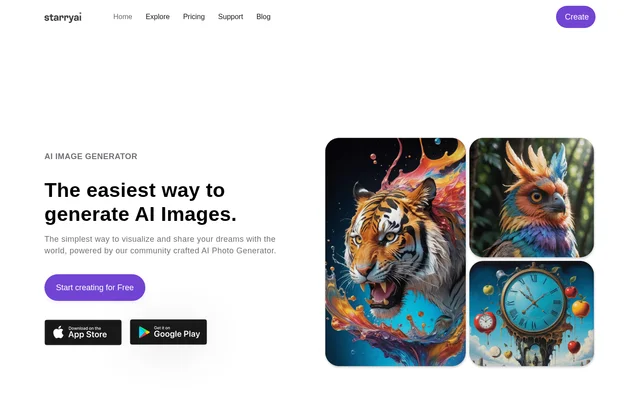
What is StarryAI?
StarryAI is an AI image generator that creates visuals from words or emojis and supports editing uploaded photos. StarryAI is intended for people exploring AI artwork, portraits, illustrations, and other visual projects. The website combines image creation with tools for modifying existing pictures, while emphasizing daily free generation, images without watermarks, and ownership of the results.
StarryAI presents a range of visual applications through links to AI avatars, painting, drawing, headshots, interiors, anime, and characters. A user testimonial also describes creating portraits, technical drawings, and children's book illustrations. These examples show the kinds of creative work discussed on the page rather than a single specialized design workflow.
What StarryAI can do
StarryAI combines prompt-based image generation with customization and image-editing capabilities. StarryAI advertises a library of styles and models, including 1000+ styles, so users can explore different visual treatments. The page also lists tools for reworking existing images, improving images, enlarging images, and removing backgrounds.
- StarryAI generates images from words or emojis.
- StarryAI accepts uploaded photos for AI editing.
- StarryAI offers a library of models and 1000+ styles.
- StarryAI can reimagine and enhance images.
- StarryAI provides image upscaling.
- StarryAI includes background removal.
How StarryAI works
StarryAI provides a sign-up route on the website and an installation link for the app. After getting started, a new account receives 5 lumens, which the page describes as 25 AI images. Users can supply words or emojis to generate images, or upload a photo to work with the AI editor.
StarryAI supports customization through its style and model library. For existing images, the website highlights reimagining, enhancement, upscaling, and background removal as available tools. The page describes these capabilities at a high level, without presenting a detailed sequence of editor controls or specifying technical requirements for installation.
Who StarryAI is for
StarryAI is for people who want to visualize ideas through AI-generated images or modify photos with AI tools. The website's examples span personal creative exploration, portraits, illustrations, and character imagery. StarryAI also states that generated images belong to their creators and include commercial rights, making ownership relevant to people considering commercial uses.
- StarryAI can turn written ideas into artwork.
- StarryAI can support portrait and illustration creation.
- StarryAI can reimagine photos with different visual treatments.
- StarryAI can enhance, upscale, or remove backgrounds from images.
StarryAI pricing and access
StarryAI offers daily free AI image generation without watermarks. StarryAI also gives new accounts 5 lumens, described on the page as 25 AI images. The website provides links to start creating for free and install the app. The supplied page does not describe paid subscriptions, additional credit prices, or a detailed plan comparison.
StarryAI strengths and stated boundaries
StarryAI brings together image generation, style selection, and several image-editing tools. StarryAI's stated benefits include watermark-free daily images, ownership of generated work, and commercial rights. The page does not specify the size of the daily free allocation or provide detailed conditions for those rights, so those particulars cannot be established from this page alone.
StarryAI FAQ
What is StarryAI?
StarryAI is an AI image generator that creates images from words or emojis. StarryAI also supports photo uploads and offers image reimagining, enhancement, upscaling, and background removal, alongside a library of styles and models.
Is StarryAI free?
StarryAI offers daily free AI images without watermarks. StarryAI also gives new accounts 5 lumens, described as 25 AI images. The supplied page does not list paid plan prices or additional credit costs.
Can StarryAI images be used commercially?
StarryAI states that users own the images they create and lists commercial rights as a benefit. StarryAI also links to a license page, but the supplied text does not include detailed licensing conditions or exceptions.
Can StarryAI edit existing photos?
StarryAI supports uploading photos to its AI editor and lists tools to reimagine images, enhance images, upscale images, and remove backgrounds. StarryAI presents these editing capabilities alongside its image-generation features.
What can you create with StarryAI?
StarryAI supports AI image creation, with website links covering avatars, paintings, drawings, illustrations, headshots, interiors, anime, and characters. StarryAI also includes a user testimonial describing portraits, technical drawings, and children's book illustrations.
How do you get started with StarryAI?
StarryAI provides sign-up and app installation links on its website. StarryAI gives new accounts 5 lumens, described as 25 AI images, and supports generating images from words or emojis or editing an uploaded photo.
From the community
No reviews yet
Be the first to review this tool. What you write helps the next person choose.