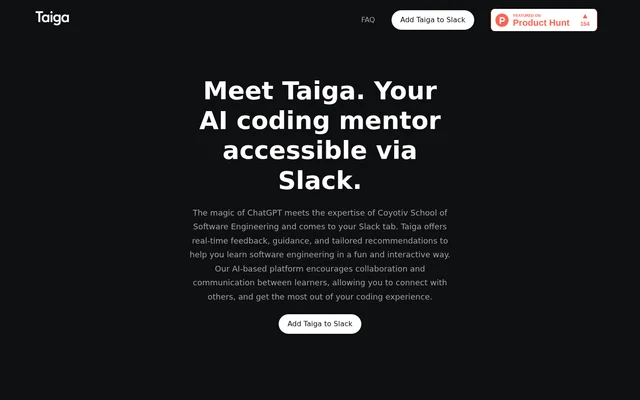
What is Taiga?
Taiga is an AI coding mentor that provides software engineering guidance through Slack. Taiga combines ChatGPT with expertise from Coyotiv School of Software Engineering to answer programming questions and support interactive learning. The intended audience includes new learners, experienced programmers, and people continuing to develop their programming skills.
Taiga was created by MVP Strasse by Coyotiv, a team focused on scalable engineering environments and processes. Taiga was originally developed to enrich learning for students at Coyotiv School of Software Engineering, with the stated intention of extending that approach to other learners. The experience centers on conversation, feedback, and tailored recommendations.
What Taiga can do
Taiga provides real-time programming assistance with detailed explanations, examples, and practical tips. Taiga supports questions across a range of programming languages, although the page does not name specific languages. The learning materials include real-life examples, code snippets, and practice problems intended to help learners understand concepts and apply their knowledge.
- Taiga answers programming questions in real time.
- Taiga explains software engineering topics step by step.
- Taiga helps review code and identify areas for improvement.
- Taiga helps learners understand error messages.
- Taiga tailors explanations to learning styles and preferences.
- Taiga supplies code snippets and practice problems.
How Taiga works in Slack
Taiga operates through a Slack workspace after the user selects Add to Slack and authorizes workspace access. Taiga can be invited into a channel or contacted through direct messages and private conversations. Learners type programming questions and continue with interactive discussions, rather than relying on a single explanation without follow-up.
Taiga also supports sharing learning progress and insights with teammates or colleagues within Slack. Taiga is described as accessible on desktops, laptops, tablets, and mobile phones. This combination allows learners to seek programming help and participate in learning discussions from different devices while keeping the interaction in Slack.
Who Taiga is for
Taiga serves people learning software engineering at different experience levels, from beginners to experienced programmers. Taiga also supports colleagues who want to exchange learning progress and insights. The stated use cases focus on understanding programming, receiving feedback, and discussing questions in a conversational setting, including private learning exchanges and shared Slack discussions.
- Taiga helps new learners explore programming concepts.
- Taiga helps programmers examine code and error messages.
- Taiga supports teammates sharing learning insights.
- Taiga provides practice problems for applying programming knowledge.
Taiga strengths and limitations
Taiga brings programming explanations, code feedback, and collaborative learning into the same Slack environment. Taiga’s conversational approach allows learners to ask follow-up questions and receive guidance tailored to their preferences. The website also explicitly warns that AI-generated responses can be inaccurate or offensive, noting that training data may contain biased or problematic content.
- Taiga requires Slack workspace authorization for the described setup.
- Taiga may occasionally generate inaccurate responses.
- Taiga may occasionally generate offensive responses.
Getting started with Taiga
Taiga setup begins with the website’s Add to Slack button and authorization for access to a Slack workspace. Taiga can then be invited to a channel or contacted privately. The next step described on the page is to type a programming question, engage in discussion, and share learning progress with colleagues where appropriate.
Taiga FAQ
What is Taiga?
Taiga is an AI coding mentor available through Slack that combines ChatGPT with expertise from Coyotiv School of Software Engineering. Taiga provides real-time programming answers, code feedback, and personalized guidance for learning software engineering.
How do you add Taiga to Slack?
Taiga is added by selecting the Add to Slack button and authorizing access to a Slack workspace. Taiga can then be invited to a channel or contacted through direct messages and private conversations for programming questions.
Can Taiga help review code and explain errors?
Taiga helps learners review code, understand error messages, and identify areas for improvement. Taiga also explains programming concepts with step-by-step guidance, real-life examples, code snippets, and practice problems.
Who is Taiga for?
Taiga is for new learners, experienced programmers, and people developing their software engineering skills. Taiga also supports collaborative learning by allowing teammates and colleagues to share learning progress and insights in Slack.
Can Taiga give inaccurate answers?
Taiga may occasionally generate inaccurate or offensive responses, according to the website. Taiga’s creators acknowledge that AI models can be influenced by training data containing biased or problematic content.
What devices can you use Taiga on?
Taiga is accessible on desktops, laptops, tablets, and mobile phones. Taiga provides programming help through Slack, with conversations available in channels, direct messages, or private exchanges after workspace authorization.
From the community
No reviews yet
Be the first to review this tool. What you write helps the next person choose.