What is Teachally?
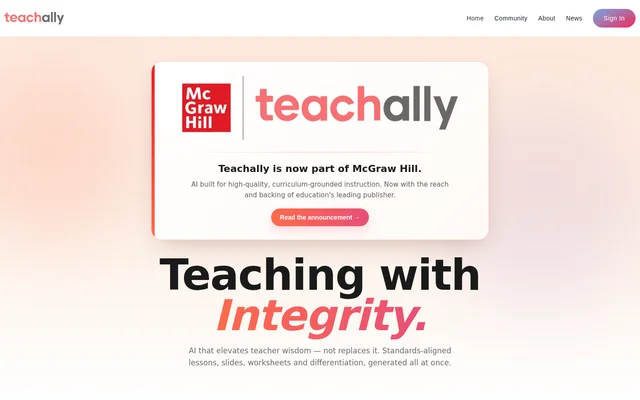
Teachally is an AI instructional planning tool for teachers that generates standards-aligned lessons and supporting classroom materials together. Teachally produces teaching guides, assessments, enrichments, presentations, and worksheets without requiring prompts or a chat interface. Teachally is now part of McGraw Hill, and the website describes the product as supporting teacher wisdom rather than replacing teacher judgment.
Teachally grounds instructional content in a built-in database of national, state, AP, and specialized standards. Teachally connects lesson planning with classroom delivery by providing learning intentions, success criteria, prior knowledge, and practical resources. Teachally also offers lesson models such as UDL, Montessori, PBL, and SEL so teachers can choose an instructional approach suited to their classroom.
What Teachally can do
Teachally combines resource generation, standards alignment, differentiation, and assessment editing within the lesson planning process. Teachally unpacks standards into actionable teaching steps and extends alignment to individual assessment questions. Teachally also provides enrichments covering Science of Reading, subject-specific activities, graphic organizers, and HQIM self-checks, alongside presentations with referenced images and facts.
- Teachally generates lessons, teaching guides, assessments, and enrichments together.
- Teachally maps assessment questions to exact standards and Depth of Knowledge levels.
- Teachally creates ready-to-use materials differentiated for individual students.
- Teachally translates lessons, worksheets, and presentations into over 100 languages.
- Teachally exports assignments as PDF, DOCX, or Google Forms.
- Teachally creates print-ready worksheets and classroom-ready presentations.
How Teachally works
Teachally generates instructional materials on demand without a prompting or chat workflow. Teachers can incorporate standards from Teachally's database, select a lesson model, and use differentiation tools to adapt resources to student needs. Teachally's assignment editor supports essay, multiple-choice, true-or-false, and other question types, with built-in differentiation and standards alignment.
Teachally provides outputs teachers can project, print, share, or customize. Presentations are prepared for classroom projection, while worksheets are designed for printing. Teachers can edit assignments and export them for classroom use, including through Google Forms. Teachally also allows teachers to generate activities or create activities from scratch while retaining standards alignment.
Who Teachally is for
Teachally serves teachers who need standards-aligned planning and resources for students with different learning needs. Teachally's website includes examples from classroom teachers, intervention teachers, and teachers managing multiple subjects or grade levels. Teachally's differentiation and translation capabilities support small-group instruction, multilingual classrooms, and lessons requiring remedial or more challenging materials.
- Teachally supports teachers preparing lessons across multiple classes or subjects.
- Teachally helps intervention teachers prepare differentiated small-group materials.
- Teachally supports multilingual classrooms with translated instructional resources.
- Teachally helps teachers create standards-linked assignments and checks for understanding.
Teachally strengths and privacy limitations
Teachally's strengths include generating related instructional resources together, connecting assessment items to specific standards, and producing differentiated materials rather than only suggesting strategies. Teachally also combines translation with printable and editable outputs. Teachally does not require student personal information and describes automated controls that identify and remove personally identifiable information before transmission to AI providers.
Teachally states that an independent SOC 2 Type II examination covered the Security trust services criteria, including encryption, access controls, change management, penetration testing, and incident response. Teachally makes that report available under NDA rather than as an unrestricted public document. Teachally also states that teacher account information, usage data, and support communications are collected to provide the service.
Teachally FAQ
What is Teachally?
Teachally is an AI lesson planning and instructional resource tool for teachers that is now part of McGraw Hill. Teachally generates standards-aligned lessons, teaching guides, assessments, slides, worksheets, and enrichments together without requiring prompts or a chat interface.
How does Teachally align lessons and assessments to standards?
Teachally uses built-in national, state, AP, and specialized standards to align instructional content. Teachally unpacks standards into skills, learning intentions, success criteria, prior knowledge, and Depth of Knowledge levels, and connects individual assessment questions to exact standards.
Can Teachally differentiate and translate classroom materials?
Teachally creates ready-to-use differentiated materials at the student level and translates resources into over 100 languages. Teachally supports translated lessons, worksheets, and presentations, allowing teachers to adapt instructional resources for multilingual classrooms and learners with different support needs.
What formats can Teachally export?
Teachally exports assignments as PDF, DOCX, or Google Forms and states that resources export to major formats. Teachally also provides print-ready worksheets and classroom-ready presentations, giving teachers options to print, project, share, or customize instructional materials.
Does Teachally require student personal information?
Teachally does not require student personal information to operate. Teachally states that detection systems identify and strip student data before transmission to AI providers, and that teachers are asked to confirm that detected names in lesson content are not student names.
From the community
No reviews yet
Be the first to review this tool. What you write helps the next person choose.