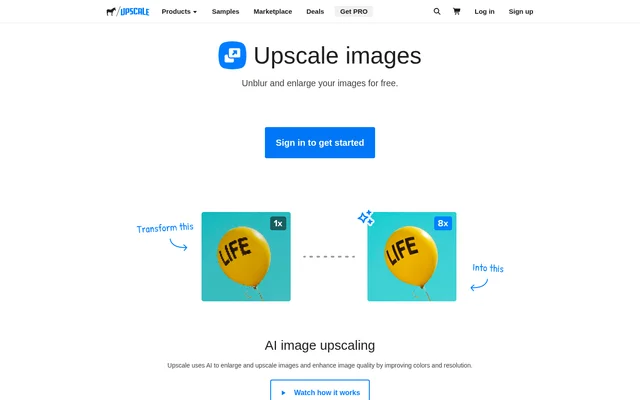
What is Upscale by StickerMule?
Upscale by StickerMule is a free AI image upscaler for enlarging photos and illustrations and improving their resolution. Upscale by StickerMule uses AI to create new pixels while preserving detail in the original image. The tool is intended for people working with low-resolution images, including those who want a larger photo or need to improve the resolution of artwork before placing a custom print order.
What Upscale by StickerMule can do
Upscale by StickerMule combines image enlargement with automatic photo enhancement. The AI analyzes the source image and generates new pixels to increase resolution, while color correction adjusts the image automatically. Upscale by StickerMule works with both photos and illustrations, and the page describes unblurring as part of the tool’s image enhancement capabilities.
- Upscale by StickerMule increases image resolution up to 8X.
- Upscale by StickerMule reduces image blur.
- Upscale by StickerMule applies automatic color correction.
- Upscale by StickerMule provides enhanced images as PNG downloads.
How Upscale by StickerMule works
Upscale by StickerMule starts with sign-in and a JPG or PNG upload. After upload, the AI analyzes the source image and creates the pixels needed for the larger version. The page says processing takes seconds. Once the image is ready, users can download the PNG result, customize the image in Studio, or order custom prints.
Who Upscale by StickerMule is for
Upscale by StickerMule is for people who need a higher-resolution version of a photo or illustration. A typical use is enlarging an existing image while retaining detail. The page also identifies print preparation as a use case: when the resolution of the original artwork is too low, increasing it can help improve print quality.
- Enlarge a low-resolution photo.
- Increase the resolution of an illustration.
- Improve artwork resolution before ordering custom prints.
Upscale by StickerMule pricing and access
Upscale by StickerMule offers image enhancement at no charge. Access starts with sign-in, and each user can process up to 5 images per day. The free pricing applies to the upscaling tool; the page also mentions custom prints as an option after processing but does not state a price for print orders.
Strengths and limitations of Upscale by StickerMule
Upscale by StickerMule processes images within seconds and combines enlargement and automatic color correction in the same workflow. The tool handles photos and illustrations, but file format, file size, and image dimensions determine whether a source image can be uploaded. The download format is PNG, even when the source image is a JPG.
- Uploads are limited to JPG and PNG.
- The maximum upload file size is 5MB.
- The maximum input image size is 3,000 x 3,000 pixels.
- The tool provides downloads in PNG format.
- Each user can process up to 5 images per day.
Getting started with Upscale by StickerMule
Upscale by StickerMule asks users to sign in before uploading an image. A source file needs to be a JPG or PNG, no larger than 5MB, and within the 3,000 x 3,000 pixel limit. After processing, the result is available as a PNG download. For further customization, the page points users to Studio.
Upscale by StickerMule FAQ
What is Upscale by StickerMule?
Upscale by StickerMule is a free AI image upscaler that enlarges photos and illustrations. Upscale by StickerMule creates new pixels to increase resolution while preserving image detail and also offers unblurring and automatic color correction.
Is Upscale by StickerMule free?
Upscale by StickerMule is free to use and allows each user to process up to 5 images per day. The page directs users to sign in before getting started.
How much can Upscale by StickerMule increase image resolution?
Upscale by StickerMule can increase image resolution up to 8X. Upscale by StickerMule analyzes the original image and creates new pixels to enlarge the image while preserving details.
What file formats does Upscale by StickerMule support?
Upscale by StickerMule accepts JPG and PNG uploads and delivers enhanced images as PNG downloads. The maximum upload file size is 5MB, and the maximum input image size is 3,000 x 3,000 pixels.
Can Upscale by StickerMule prepare artwork for printing?
Upscale by StickerMule can increase the resolution of artwork before custom printing. The page identifies image resolution as a factor in print quality and offers the option to order custom prints after enhancing an image.
How long does Upscale by StickerMule take to process an image?
Upscale by StickerMule processes an image within seconds, according to the page. After processing, users can download the enhanced image in PNG format or customize it in Studio.
From the community
No reviews yet
Be the first to review this tool. What you write helps the next person choose.