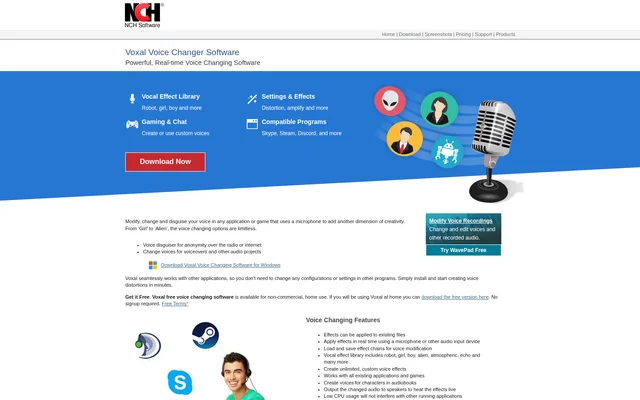
What is Voxal Voice Changer?
Voxal Voice Changer is software from NCH Software that changes a voice in real time or applies vocal effects to a recording. It runs on Windows and Mac and works with games and chat applications that use a microphone. Gamers and streamers can change how they sound while speaking, while podcasters and audiobook creators can use effects to alter recorded voices.
What Voxal Voice Changer can do
Voxal Voice Changer provides a library of presets as well as controls for building custom voices. Its presets include robot, alien, and echo, and its effects include distortion and amplification. Users can save and reload an effect chain when they want to reuse the same combination rather than rebuild it.
- Apply vocal effects to live microphone input.
- Apply effects to existing sound files.
- Switch between voices using custom hotkeys.
- Add background sounds such as an office, train, or forest.
- Play modified audio through speakers to hear the effect live.
How Voxal Voice Changer works
Voxal Voice Changer is available as a download for Windows and Mac. For live voice changes, users run the software, select a voice effect, and apply it to a microphone or another audio input device. The product page lists Discord, TeamSpeak, and Steam games as compatible and says users do not need to change settings in those other programs.
Who Voxal Voice Changer is for
Voxal Voice Changer is intended for people who want different voices in games, chats, streams, or audio productions. In a live setting, a gamer can change voices while roleplaying with friends. In recorded projects, an audiobook creator can give characters different voices, and a podcaster can change how a prerecorded voice sounds.
- Roleplay with a custom voice in an online game.
- Use live voice effects on Twitch.
- Create distinct voices for audiobook characters.
- Modify recorded narration for podcasts and voiceovers.
Voxal Voice Changer pricing and plans
Voxal Voice Changer has a free download for non-commercial home use, and the product page says no signup is required for that version. NCH Software also offers the software for purchase online. The page links to the free download and the purchase option but does not list a price.
Voxal Voice Changer strengths and limitations
Voxal Voice Changer supports both live input and existing recordings, so users can change voices during a conversation or apply effects after recording. Saved effect chains make custom settings reusable, while hotkeys let users switch between voices without selecting a preset each time. The page describes the software as having low CPU usage alongside other applications.
- The free version is limited to non-commercial home use.
- Live effects require a microphone or another audio input device.
- The listed downloads are for Windows and Mac.
Getting started with Voxal Voice Changer
Voxal Voice Changer can be downloaded and run on a Windows or Mac computer. To try a live effect, users can select a preset and send the modified audio to speakers to hear the result. Users working with prerecorded material can apply effects to an existing file instead, and those who want to reuse custom settings can save an effect chain.
Voxal Voice Changer FAQ
What is Voxal Voice Changer?
Voxal Voice Changer is software for Windows and Mac that changes voices in real time and applies effects to existing audio files. It includes presets such as robot, alien, and echo, and lets users create custom voice effects.
Is Voxal Voice Changer free?
Voxal Voice Changer is free for non-commercial home use, and the free download does not require signup. NCH Software also offers the software for purchase online, but the product page does not list a price.
Does Voxal Voice Changer work with Discord?
Voxal Voice Changer lists Discord among its compatible programs and can change a microphone voice during live chat. The product page also lists TeamSpeak and Steam games and says users do not need to change settings in other applications.
Can Voxal Voice Changer change a prerecorded voice?
Voxal Voice Changer can apply effects to existing sound files as well as to live input. Users can modify recorded narration for podcasts and voiceovers, create voices for audiobook characters, or change the voice in a video capture recording.
Can you create custom voices in Voxal Voice Changer?
Voxal Voice Changer lets users create custom voice effects and save effect chains for reuse. Users can also assign custom hotkeys to switch between voices and use effects such as distortion and amplification.
From the community
No reviews yet
Be the first to review this tool. What you write helps the next person choose.