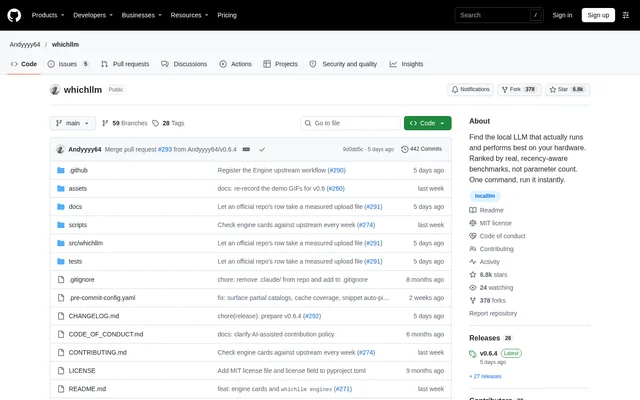
What is whichllm?
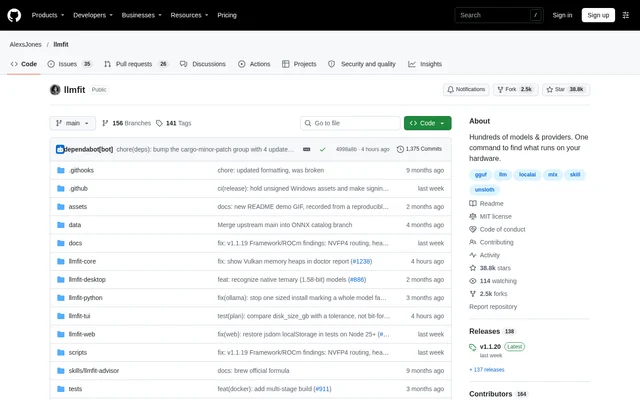
whichllm is an open-source command-line project that recommends local large language models based on available hardware and benchmark quality. whichllm reads GPU specifications, RAM and memory bandwidth to estimate which models fit and how quickly they will generate text. The project targets people running open models locally, including developers and users evaluating hardware purchases.
whichllm ranks models using scores from Artificial Analysis and LiveBench, combined on a shared scale. Task-specific profiles use relevant benchmarks for coding, math and vision. Older generations are demoted, weaker benchmark matches receive less weight, and pretrain-only base checkpoints are excluded from recommendations.
What whichllm can do
whichllm combines model discovery, hardware planning and local execution in a command-line workflow. Recommendations include memory placement and a run recipe, rather than only a model name. Users can change context length, restrict results to models that fit entirely in GPU memory, or export results for scripts, issues and chats.
- whichllm detects hardware and reports available inference engines.
- whichllm simulates individual GPUs or multiple-GPU configurations.
- whichllm ranks models for general, coding, math and vision workloads.
- whichllm compares candidate GPU upgrades and checks a model's hardware needs.
- whichllm downloads a recommended model and opens a local chat.
- whichllm produces JSON rows, Markdown tables and Python loading snippets.
How whichllm works
whichllm reads a prebuilt index containing the Hugging Face model list, model-family configuration files and merged benchmark scores. GitHub Actions rebuilds the index daily, and publication depends on quality checks. The default cold start makes no Hugging Face API calls; the live option fetches data directly and uses HF_TOKEN when configured.
whichllm calculates memory requirements from model weights, a layer-by-layer KV cache and runtime buffers. For mixture-of-experts models that exceed GPU memory, whichllm first considers moving experts to system RAM. Other models spill whole layers. Generation-speed estimates use GPU and RAM bandwidth, with calibration against llama.cpp runs.
whichllm run uses an installed llama.cpp executable for GGUF models and applies the printed recipe for the top recommendation. Existing GGUF files in an LM Studio library can be reused. Without llama-cli, whichllm creates a temporary environment using uv, with llama-cpp-python for GGUF models and transformers for other models.
Who whichllm is for
whichllm serves users choosing local models and developers who need recommendations tied to specific hardware constraints. Hardware shoppers can simulate GPUs before purchasing, while users with an existing computer can inspect detected hardware and test recommendations. Task profiles and context-length controls help narrow choices for particular workloads rather than treating every model as interchangeable.
- Local AI users can identify models that fit their GPU and system RAM.
- Developers can find recommendations for coding tasks.
- GPU buyers can compare candidate hardware upgrades.
- Users planning long-context workloads can adjust context length before ranking models.
whichllm pricing and installation
whichllm is distributed as an open-source project under the MIT license, with installation options through uv, Homebrew and pip. The documented quick start is uvx whichllm@latest, while uv tool install whichllm provides a persistent installation. The repository also documents a development setup using a Git clone and uv. Sponsorship supports maintenance, and the project states that whichllm stays open source regardless.
whichllm strengths and limitations
whichllm provides recommendations that account for memory placement, model quality and estimated responsiveness together. The project tests rankings across hardware archetypes and checks estimates against real runs and published results. Users can run whichllm bench to measure the top recommendation on their own machine and use whichllm report to share that measurement in a GitHub issue.
- whichllm reports estimated speeds, not measured performance on the user's computer.
- whichllm falls back to a source-built, CPU-only llama-cpp-python installation when llama-cli is unavailable for GGUF execution.
- whichllm may require memory-limit overrides when integrated GPU or unified-memory detection is incorrect.
whichllm FAQ
What is whichllm?
whichllm is an open-source command-line tool that recommends local LLMs based on hardware fit, estimated generation speed and benchmark quality. whichllm reads GPU specifications, RAM and memory bandwidth, then provides ranked models and a command for running the top recommendation.
Is whichllm free?
whichllm is available as an open-source project under the MIT license, with installation through uv, Homebrew or pip. whichllm accepts sponsorship to support maintenance, and the repository states that the project stays open source regardless.
Can whichllm compare GPUs before a purchase?
whichllm supports GPU simulation and hardware upgrade comparisons. Users can specify a GPU or multiple GPUs, adjust available memory and compare candidate upgrades. whichllm also provides a planning command to identify the GPU requirements of a named model.
Does whichllm run models or only recommend them?
whichllm can download a model and open a local chat through the run command. whichllm uses the top recommendation when no model is specified, supports installed llama.cpp executables for GGUF models, and can reuse GGUF files already present in an LM Studio library.
Are whichllm speed estimates measured on my computer?
whichllm estimates generation speed from memory bandwidth rather than measuring the user's computer during ranking. The estimates are calibrated against llama.cpp runs and include confidence indicators. whichllm bench measures the top recommendation locally so users can compare predicted and observed performance.
How do you install whichllm?
whichllm can be launched with uvx whichllm@latest or installed persistently using uv tool install whichllm. whichllm also supports Homebrew and pip installation. The repository provides separate development instructions for cloning the source and setting up dependencies with uv.
From the community
No reviews yet
Be the first to review this tool. What you write helps the next person choose.