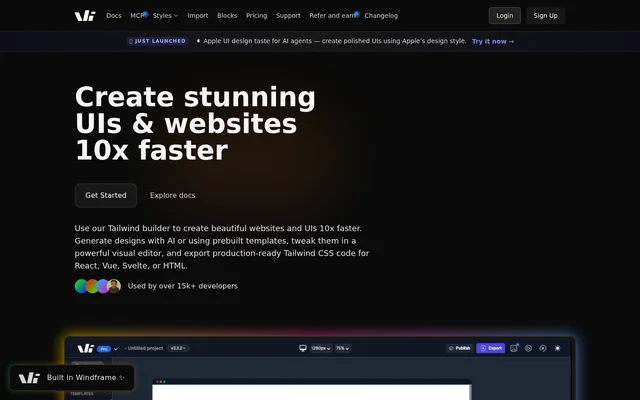
What is Windframe?
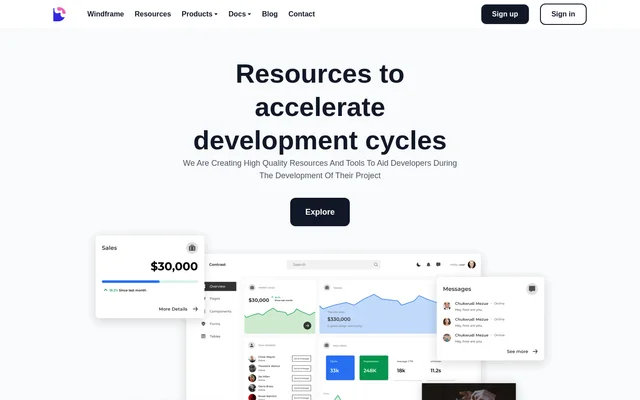
Windframe is an AI-powered visual builder for developers and designers who create websites and user interfaces with Tailwind CSS. Windframe combines prompt-based layout generation with a template library and a drag-and-drop editor. A design can serve as a prototype or be exported as frontend code for an existing project. The builder also supports importing Tailwind CSS projects, so users can edit an existing design instead of starting with a new one.
What Windframe can do
Windframe can generate a complete page layout from a text prompt or use a prebuilt template as a starting point. The visual editor shows updates as elements change, with controls for details such as color, spacing, and typography. Designs are responsive by default and adapt to desktop, tablet, and mobile screen sizes.
- Windframe generates page layouts from text prompts.
- Windframe provides more than 1,000 Tailwind CSS templates.
- Windframe imports components from Tailwind UI, Flowbite, and daisyUI.
- Windframe lets teams organize and share reusable components.
- Windframe provides API access for templates, AI generation, and code export.
How Windframe works
Windframe lets users begin with a prompt, select a template, or import a Tailwind CSS website, project, or component. In the visual editor, users select elements directly and adjust their properties while viewing the results. Once the layout is ready, users can export to HTML or a framework such as React, Next.js, Vue, Nuxt, Angular, or Svelte. The export includes the Tailwind configuration and CSS.
Who Windframe is for
Windframe is for developers and designers who want to work on web layouts visually and then use the exported code in a frontend project. Backend developers can use the editor to prototype an interface before bringing it into React. Teams can share projects, invite members, review changes, and reuse components across projects.
- Prototype a landing page from a text prompt.
- Create a dashboard or admin interface from a template.
- Revise an existing Tailwind CSS website.
- Build a reusable component library for a team.
Windframe strengths and limitations
Windframe combines visual editing with code export, which lets users move a layout into a frontend project after adjusting it in the browser. Support for several export frameworks gives teams options for where to use the code, while imports let them work with existing Tailwind CSS components. The framework choices apply to export; Tailwind CSS remains the focus of the builder.
- The free plan includes only selected templates.
- Full access to AI features requires a paid upgrade.
- The import workflow is designed for Tailwind CSS projects and components.
Windframe FAQ
What is Windframe?
Windframe is an AI-powered visual builder for creating Tailwind CSS websites and user interfaces. Developers and designers can generate layouts from prompts, customize templates in a drag-and-drop editor, and export the result as HTML or frontend framework code.
Is Windframe free to use?
Windframe has a free plan that includes the visual editor and a selection of templates, with no credit card required. The page says that upgrading to Pro unlocks full access to the template library and AI features.
Which frameworks can Windframe export to?
Windframe exports to HTML, React, Next.js, Gatsby, Vue, Nuxt, Angular, Svelte, Astro, SolidJS, and Rails. The exported code includes the Tailwind configuration and CSS, and the page also lists TypeScript support.
Can Windframe edit an existing Tailwind CSS project?
Windframe can import existing Tailwind CSS websites, templates, projects, and components for visual editing. Windframe also supports importing components from libraries such as Tailwind UI, Flowbite, and daisyUI so users can customize them in the editor.
Does Windframe have an API?
Windframe has an API for accessing templates, generating designs with AI, and exporting code. The page shows an authenticated request that sends a landing page prompt and specifies React as the target framework.
Can teams collaborate in Windframe?
Windframe supports team collaboration across multiple projects. Team members can share access to designs, review changes, and work together on client projects. Teams can also share a reusable library of components and templates.
From the community
No reviews yet
Be the first to review this tool. What you write helps the next person choose.