What is Screenshot To Code?
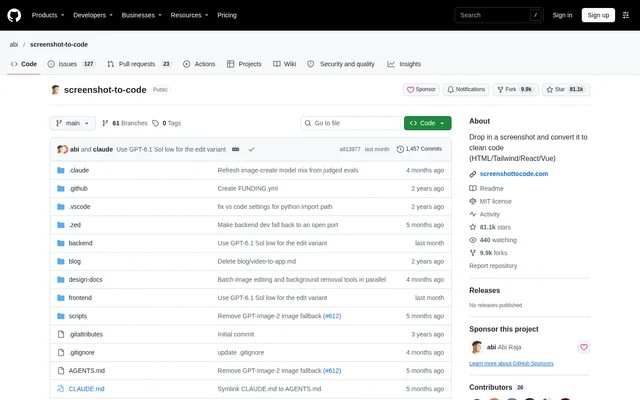
Screenshot To Code is an open-source project for turning visual interface references into functional frontend code using AI. Screenshot To Code accepts screenshots, mockups, Figma designs, and website screen recordings. The repository provides the application source under the MIT license and points to an official hosted application at screenshottocode.com.
Screenshot To Code serves developers working from visual designs and people who want to customize, self-host, or contribute to the application. Supported output stacks include HTML with Tailwind, HTML with CSS, React with Tailwind, Vue with Tailwind, Bootstrap, and Ionic with Tailwind.
What Screenshot To Code can do
Screenshot To Code combines code generation with image-related capabilities that depend on configured providers. OpenAI, Anthropic, and Gemini supply code-generation models, while Gemini also handles screenshot asset extraction. Replicate supports image generation and editing. An optional browser-based preview gives the agent a way to inspect its generated page visually.
- Screenshot To Code converts screenshots, mockups, and Figma designs into frontend code.
- Screenshot To Code turns website screen recordings into functional prototypes.
- Screenshot To Code supports HTML, React, Vue, Bootstrap, and Ionic output stacks.
- Screenshot To Code extracts real logos and images from screenshots through Gemini.
- Screenshot To Code supports image editing and background removal through Replicate.
- Screenshot To Code can render generated pages in Chromium for visual checking.
How Screenshot To Code works
Screenshot To Code offers a hosted route without local setup and a local route built around a React/Vite frontend and FastAPI backend. Local operation requires at least one model provider key from OpenAI, Anthropic, or Gemini. Additional provider keys let the application use a broader mix of models and compare models per generation.
Screenshot To Code documents backend installation with Poetry, frontend installation with pnpm, and a Docker Compose alternative. OpenAI, Anthropic, and Gemini keys can also be configured through the frontend settings dialog. Replicate requires backend environment configuration. Installing Chromium enables optional screenshot preview; without Chromium, the application skips that tool.
Who Screenshot To Code is for
Screenshot To Code fits frontend development tasks where an existing image, design, or recording provides the interface reference. Screenshot To Code also supports people who want control over application deployment or source changes. The repository explicitly presents local operation as the route for customization, self-hosting, and contribution.
- Frontend developers can generate interface code from screenshots and mockups.
- Developers working from Figma designs can convert visual references into supported frontend stacks.
- Prototype builders can turn recordings of websites in action into functional prototypes.
- Self-hosters and contributors can run and modify the application locally.
Screenshot To Code pricing and access
Screenshot To Code is distributed as an open-source project under the MIT license. Screenshot To Code also has an official hosted application, but the supplied product text does not state hosted plan prices. Local use requires model provider API keys, so access to the source code is separate from access to the external model services.
Screenshot To Code strengths and limitations
Screenshot To Code combines multiple input formats, frontend output stacks, and model providers with access to the application source. Screenshot To Code can reuse screenshot assets rather than relying only on generated replacements. The main operational constraints concern local configuration and provider-specific dependencies: not every capability is available with every API key.
- Screenshot To Code requires backend/frontend setup and provider API keys for local use.
- Screenshot To Code requires Gemini for video mode.
- Screenshot To Code cannot provide image editing or background removal without Replicate.
- Screenshot To Code requires Chromium for screenshot preview.
- Screenshot To Code's documented Docker setup does not automatically rebuild changed application files.
Screenshot To Code FAQ
What is Screenshot To Code?
Screenshot To Code is an open-source AI project that converts screenshots, mockups, Figma designs, and screen recordings into functional frontend code. Screenshot To Code supports output stacks including HTML, Tailwind, React, Vue, Bootstrap, and Ionic.
Is Screenshot To Code free?
Screenshot To Code provides open-source code under the MIT license. Local operation requires model provider API keys. Screenshot To Code also offers an official hosted application, but the supplied text does not state hosted pricing.
Can Screenshot To Code run locally?
Screenshot To Code can run locally with a React/Vite frontend and FastAPI backend, or through the documented Docker Compose setup. Screenshot To Code requires at least one model provider API key from OpenAI, Anthropic, or Gemini for local operation.
Can Screenshot To Code turn a screen recording into code?
Screenshot To Code supports converting a recording of a website in action into a functional prototype. Screenshot To Code requires a Gemini API key for video mode, according to the repository's provider requirements.
Which AI providers does Screenshot To Code support?
Screenshot To Code supports OpenAI, Anthropic, and Gemini for code generation, alongside Replicate for image generation, image editing, and background removal. Screenshot To Code uses Gemini for extracting real assets from screenshots and requires Gemini for video mode.
Does Screenshot To Code check its generated pages visually?
Screenshot To Code includes optional screenshot preview that lets the agent render its generated page in a headless browser and visually check the result. Screenshot To Code enables this feature when Chromium is installed and skips the tool when Chromium is missing.
From the community
No reviews yet
Be the first to review this tool. What you write helps the next person choose.