What is CapCut Online Creative Suite?
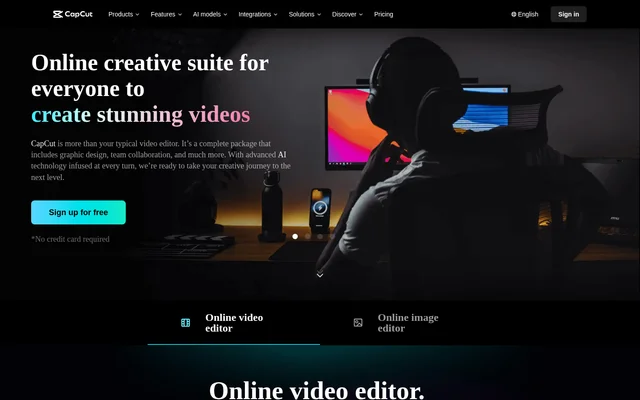
CapCut Online Creative Suite is a web-based suite for video editing, graphic design, and team collaboration. CapCut Online Creative Suite serves people making videos and images, from individual content creators and vloggers to social media managers and small business owners. Alongside the editors, shared cloud spaces let teams store project files and send videos out for feedback.
What CapCut Online Creative Suite can do
CapCut Online Creative Suite covers both video production and still-image design. Its video editor lets users layer footage, sound, images, and text in the same project. Its design editor offers canvas sizes for social platforms, and its AI tools handle tasks such as correcting colors, enhancing low-light images, and restoring old photos.
- CapCut Online Creative Suite crops, trims, splits, and resizes videos.
- CapCut Online Creative Suite generates video captions automatically.
- CapCut Online Creative Suite provides royalty-free music and sound effects.
- CapCut Online Creative Suite removes backgrounds from videos and images.
- CapCut Online Creative Suite provides text templates and stickers for graphics.
How CapCut Online Creative Suite works
CapCut Online Creative Suite offers an online video editor and an online image editor. A video project can combine footage, audio, images, and text on separate tracks. For graphics, users can start with a template, add text or stickers, and resize images with auto layout.
CapCut Online Creative Suite also supports a shared workflow. Team members can store source materials, in-progress projects, and finished work in cloud spaces. Teams can assign roles and access when inviting collaborators, and files can sync across devices. A video can be shared by link for presentation or sent for review with comments and annotations.
Who CapCut Online Creative Suite is for
CapCut Online Creative Suite is suited to content creators who want to edit and caption videos, social media managers who need graphics in different sizes, and small business owners making promotional material. The page also gives examples of vloggers editing footage, fitness trainers adding instructional overlays, and event organizers compiling event footage.
- Create captioned social media videos.
- Build promotional videos with music and product footage.
- Add text overlays to workout or recipe tutorials.
- Compile event footage using built-in templates.
CapCut Online Creative Suite pricing and plans
CapCut Online Creative Suite offers free sign-up and describes automatic video captions as free. The page also invites users to try its AI tools for free. The page does not list paid plans or specify which editing, storage, and collaboration features are included with free access.
CapCut Online Creative Suite strengths and limitations
CapCut Online Creative Suite brings video editing, image design, and project review into one online workspace. The video editor supports unlimited video, audio, image, and text tracks, and reviewers can leave comments and annotations through a shared link. The page does not state storage allowances or clarify which collaboration and AI features are available beyond the advertised free access and trials.
CapCut Online Creative Suite FAQ
What is CapCut Online Creative Suite?
CapCut Online Creative Suite is an online toolkit for video editing, graphic design, and team collaboration. Users can edit footage on multiple tracks, create graphics with templates and stickers, and share video links for presentation or review.
Is CapCut Online Creative Suite free?
CapCut Online Creative Suite offers free sign-up and free automatic video captions. The page also invites users to try its AI tools for free, but does not list paid plans or explain which other features are included with free access.
Can CapCut Online Creative Suite add captions to videos automatically?
CapCut Online Creative Suite can automatically generate captions from videos for free. The same online video editor lets users trim, split, crop, and resize footage and arrange video, audio, images, and text on separate tracks.
Can teams review videos in CapCut Online Creative Suite?
CapCut Online Creative Suite supports video review through shared links, with comments and annotations for feedback. Teams can also invite collaborators to shared spaces, assign roles and access, and store project materials and finished work in the cloud.
Can CapCut Online Creative Suite edit photos and social media graphics?
CapCut Online Creative Suite supports photo editing and social media graphic design. The online design editor provides canvas sizes for social platforms, text templates, stickers, and image resizing. AI tools include background removal, image upscaling, photo colorization, and old photo restoration.
From the community
No reviews yet
Be the first to review this tool. What you write helps the next person choose.