What is cindy?
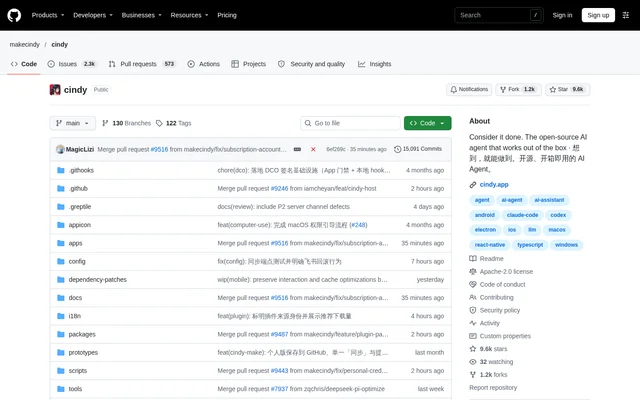
cindy is an open-source AI agent with desktop and mobile clients for working across connected computers and phones. cindy combines conversations, tools, coding agents, and customizable companions in a shared interface. The project supports work with files, browsers, and apps, including companions configured as reviewers, researchers, or project partners.
cindy's repository contains the desktop and mobile clients and shared packages, organized as a pnpm monorepo. The desktop client uses Electron, and the mobile client uses Expo and React Native. The client is Apache-2.0 licensed; the backend service lives in a separate repository and is not included in this monorepo.
What cindy can do
cindy combines agent workflows with access to connected devices and tools. Supported harnesses include Claude Code, Codex, and Pi, with model choices that can change as work evolves. Responses can contain charts, interactive controls, and rich HTML, while companions can retain useful preferences and knowledge in memory.
- cindy resumes conversations and accesses session files from another connected device.
- cindy shares configured model providers when remote provider access is allowed.
- cindy provides remote desktop access from a phone.
- cindy coordinates agents for planning, parallel implementation, and independent review.
- cindy runs recurring routines through automations.
- cindy connects tools through Skills, plugins, and MCP.
- cindy supports work through chat channels such as Slack and Telegram.
How cindy works across devices
cindy connects computers for remote access when users keep those computers online, sign in with the same account, and enable the relevant permissions. Model sharing requires permission for the provider, while remote desktop requires separate permissions. Project files remain on their original computer; remote access does not synchronize the whole disk.
cindy syncs cloud companions' conversations, memory, skills, and shared attachments through its services. Model providers process requests sent to them. Users choose a supported harness and model combination; changing harnesses hands off or rebuilds engine context rather than making the harnesses' internal states identical.
Who cindy is for
cindy serves people who want an AI companion connected to their working environment, including developers already using Claude Code or Codex. cindy also supports users creating research, review, or project companions with specific instructions and recurring responsibilities. Developers can audit, fork, modify, or contribute to the open-source client.
- cindy supports continuing computer-based work from another device.
- cindy supports coding workflows that separate planning, implementation, and review.
- cindy supports research companions with reusable skills and memory.
- cindy supports recurring tasks connected to files, apps, and chat channels.
cindy pricing and access
cindy provides a free client for macOS, Windows, Linux, iOS, and Android. Users can authorize a supported subscription, including Claude Code or Codex plans, connect API keys, use a local model, or choose cindy's managed model service. Provider limits and billing still apply, so the free client does not provide unlimited model usage.
cindy offers a Skip Sign-In option for running local agents without a cindy account. Server-backed capabilities are unavailable in that state. The hosted service requires a cindy cloud account. Download and service-pricing links are provided, and Linux installation guidance covers Ubuntu, Arch Linux, and Omarchy.
cindy strengths and limitations
cindy combines an editable open-source client with multiple agent harnesses, model-provider choices, and cross-device access without requiring server rental. Important boundaries remain around connectivity, cloud services, and privacy. Official distribution builds include usage analytics that default to on; users can disable usage statistics in desktop or mobile settings.
- cindy requires connected computers to stay online for remote access.
- cindy does not provide server-backed capabilities in Skip Sign-In mode.
- cindy keeps project files on their original computer rather than performing whole-disk synchronization.
- cindy excludes the backend service from the client monorepo.
cindy FAQ
What is cindy?
cindy is an open-source AI agent with desktop and mobile clients that connects computers and phones. cindy combines Claude Code, Codex, and Pi with tools, customizable companions, memory, and recurring automations for work involving files, browsers, and apps.
Is cindy free?
cindy provides a free, Apache-2.0-licensed client. Users can connect supported subscriptions, API keys, or local models, or use cindy's managed model service. Provider limits and service billing still apply, and the free client does not include unlimited model usage.
Can cindy run without an account?
cindy can run local agents without a cindy account through the Skip Sign-In option on the login screen. The app displays the account state as Not signed in, and server-backed capabilities are unavailable in this mode.
Which devices does cindy support?
cindy provides clients for macOS, Windows, Linux, iOS, and Android. cindy supports continuing sessions across connected devices and accessing files on their original computer. Remote computer access requires the computer to remain online, the same account, and appropriate permissions.
What integrations does cindy support?
cindy supports Claude Code, Codex, and Pi as agent harnesses, plus extensions through Skills, plugins, and MCP. cindy also connects work through chat channels such as Slack and Telegram, and supports configured subscriptions, API providers, and local models.
Does cindy collect usage analytics?
cindy includes TapDB usage analytics in official distribution builds, with usage statistics enabled by default. Events are associated with an account after sign-in, but TapDB does not collect chat content, file content, or working-directory data. Users can disable usage statistics in settings; local mode does not report to TapDB.
From the community
No reviews yet
Be the first to review this tool. What you write helps the next person choose.