What is HeardThat?
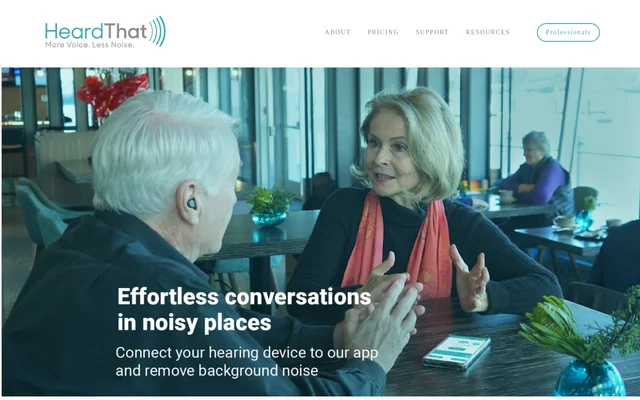
HeardThat is a hearing-assistive smartphone app that uses AI to separate speech from background noise during conversations. HeardThat is intended for people who find speech difficult to follow in noisy social settings, across a range of hearing abilities. Rather than requiring a dedicated new device, HeardThat works with a smartphone and existing Bluetooth earbuds or a hearing aid.
HeardThat addresses the difficulty of keeping up with conversations when surrounding noise makes speech harder to understand. The website describes these situations as potentially exhausting and frustrating, sometimes leading people to avoid social settings. HeardThat focuses on helping users participate in those conversations with less strain.
What HeardThat can do
HeardThat combines AI speech separation with user control over ambient sound. The app is presented as a way to hear more speech and less background noise through listening equipment users already own. HeardThat also includes a subscription-gifting option for people who want to provide access to someone close to them.
- HeardThat separates speech from background noise using AI.
- HeardThat lets users control how much ambient sound they hear.
- HeardThat works with existing Bluetooth earbuds or hearing aids.
- HeardThat activates speech enhancement when users press start.
- HeardThat supports purchasing and sharing gift subscriptions.
How HeardThat works
HeardThat uses a download, connect, and start workflow. Users download the app onto a smartphone, connect a Bluetooth-enabled listening device, and press start to activate noise removal for conversations. HeardThat states that existing devices can be used, so the workflow does not require buying new dedicated hearing-assistance hardware.
HeardThat also provides a website demonstration using a real-world conversation. Visitors can play the video and move a slider to hear the effect of removing background noise. The page suggests trying a desktop browser if the demonstration audio cannot be heard.
Who HeardThat is for
HeardThat is aimed at people who have trouble understanding speech in noisy environments, rather than a single stated level of hearing ability. HeardThat also addresses family members and other loved ones who notice someone struggling to stay involved in conversations and want to provide access through a gift subscription.
- HeardThat helps users follow conversations in noisy social settings.
- HeardThat supports listeners who want less background noise while hearing speech.
- HeardThat offers gift subscriptions for loved ones who struggle with conversations in noise.
HeardThat pricing and plans
HeardThat offers a free trial with no credit card required, alongside subscription access. The supplied pricing page does not list subscription prices or the trial duration. HeardThat gift subscriptions can be purchased inside the app by opening the shopping cart icon, entering the gift section, and purchasing a subscription to share with a recipient.
HeardThat strengths and limitations
HeardThat combines speech-focused noise reduction, adjustable ambient sound, and compatibility with existing Bluetooth listening equipment. The free trial provides a way to try HeardThat without entering credit card details. The stated setup still depends on having a smartphone and a Bluetooth-enabled listening device, while the supplied page leaves subscription costs and trial length unspecified.
- HeardThat requires a smartphone for its hearing-assistive workflow.
- HeardThat requires a connected Bluetooth-enabled listening device.
- HeardThat does not state subscription prices or trial duration in the supplied text.
HeardThat FAQ
What is HeardThat?
HeardThat is an AI hearing-assistive smartphone app that separates speech from background noise. HeardThat is designed to help people understand conversations in noisy social settings while listening through existing Bluetooth earbuds or a hearing aid.
Is HeardThat free?
HeardThat offers a free trial with no credit card required and also provides subscription access. The supplied website text does not specify the trial duration or subscription prices. HeardThat subscriptions can also be purchased as gifts.
Do you need special hardware to use HeardThat?
HeardThat works with a smartphone and existing Bluetooth-enabled listening devices, including earbuds or a hearing aid. HeardThat states that no new hardware is needed; users connect their listening device and press start in the app.
Can HeardThat control how much background sound you hear?
HeardThat lets users control how much ambient sound they hear while using AI to separate speech from background noise. HeardThat presents this capability as a way to follow conversations more easily in noisy environments.
Can you give HeardThat as a gift?
HeardThat supports gift subscriptions purchased through the app. HeardThat instructs gift buyers to download and install the app, select the shopping cart icon, enter the gift section, and purchase a subscription to share with someone.
From the community
No reviews yet
Be the first to review this tool. What you write helps the next person choose.