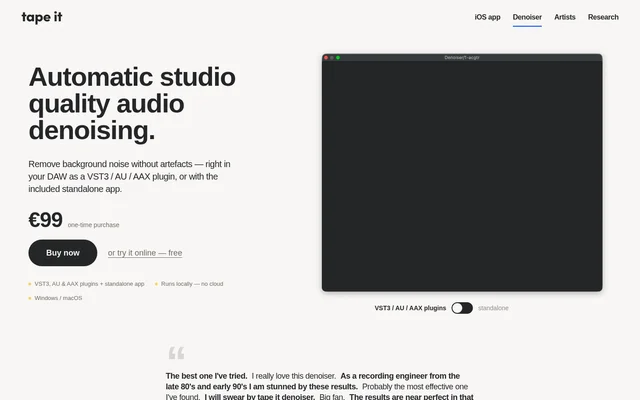
What is Tape It Denoiser?
Tape It Denoiser is an automatic audio noise reduction tool for recording engineers, DAW users, and people who want to clean up an existing audio file. Tape It Denoiser comes in two forms: plugins that process audio inside a digital audio workstation and a standalone app for file-based cleanup. Both are included in the bundle. The standalone app provides a way to reduce background noise without opening a DAW.
What Tape It Denoiser can do
Tape It Denoiser can detect a noise profile even when a recording contains no separate section of background noise on its own. Tape It Denoiser can also adapt when the noise changes over time. For file-based cleanup, the standalone app applies a default denoising strength that users can adjust.
- Tape It Denoiser detects noise without a noise-only segment.
- Tape It Denoiser adapts to changes in background noise.
- Tape It Denoiser lets standalone users adjust noise reduction strength.
- Tape It Denoiser supports sample rates up to 192 kHz.
How Tape It Denoiser works
Tape It Denoiser uses a machine learning model to identify the noise profile, but the model does not directly edit the audio. Instead, the model controls a multiband expander, which uses conventional signal processing to reduce the noise. The model's role is to track the noise, while the expander applies the changes to the signal.
Tape It Denoiser runs as a VST3, AU, or AAX plugin in hosts such as Ableton, Logic, and Pro Tools. The product page describes the start of the plugin chain as a typical placement, but also shows how the plugin can be used after a noise-producing effect such as an amp simulation.
Who Tape It Denoiser is for
Tape It Denoiser suits recording engineers and other DAW users who want to reduce noise without leaving their session. Someone who already has an audio file and does not need a DAW can use the standalone app instead. The product page demonstrates noise reduction on unplugged recordings, while its plugin guidance also covers noise introduced within a session.
- Clean up an unplugged recording.
- Reduce background noise before other processing in a DAW.
- Reduce noise introduced by an amp simulation.
- Denoise an existing audio file without using a DAW.
Tape It Denoiser strengths and limitations
Tape It Denoiser processes audio locally in the installed app and plugins, so recordings do not need to leave the computer for denoising. That is useful when recordings must stay on the machine. The automatic noise detection also means users do not have to find a clean sample of the background noise before processing a recording.
- The installable versions are listed for Windows and macOS only.
- Plugin use requires a compatible DAW.
- The downloadable plugin and standalone bundle is a paid purchase.
Tape It Denoiser FAQ
What is Tape It Denoiser?
Tape It Denoiser is an automatic background noise reduction tool for audio recordings. A machine learning model detects the noise profile, and a multiband expander reduces the noise. The tool is available as DAW plugins and a standalone app.
Is Tape It Denoiser free?
Tape It Denoiser offers a free online trial, but the downloadable bundle is a one-time purchase. The product page lists the bundle at €99, including the standalone app and the VST3, AU, and AAX plugins.
Which DAWs work with Tape It Denoiser?
Tape It Denoiser works in DAWs such as Ableton, Logic, and Pro Tools through its VST3, AU, and AAX plugins. The bundle also includes a standalone app for processing audio files without a DAW.
Does Tape It Denoiser need a noise-only sample?
Tape It Denoiser does not need a separate noise-only sample. Its machine learning model detects the noise profile from the recording and adapts as the noise changes, while a multiband expander handles the audio processing.
Does Tape It Denoiser process audio locally?
Tape It Denoiser processes audio locally in its installed plugins and standalone app on Windows and macOS. Those versions do not use the cloud for denoising, so audio does not leave the machine during processing.
From the community
No reviews yet
Be the first to review this tool. What you write helps the next person choose.