What is HitPaw FotorPea?
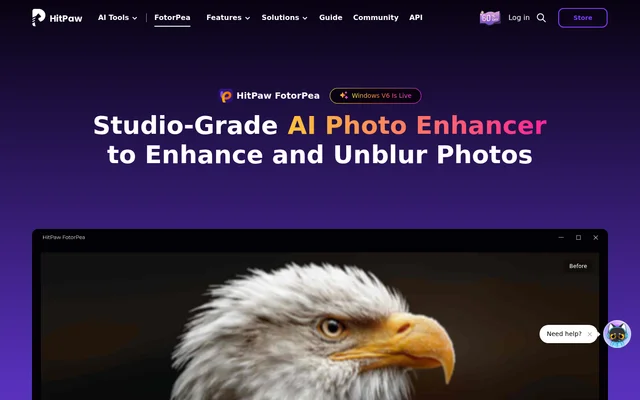
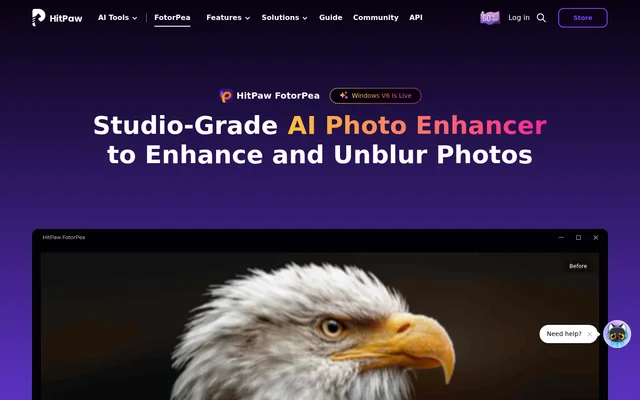
HitPaw FotorPea is an AI photo enhancer for photographers, creators, and people working with old or damaged photos. Formerly called HitPaw Photo Enhancer, HitPaw FotorPea uses task-specific models to address issues such as low resolution, blurry faces, grain, and faded colors. The same product also offers editing and generation tools for tasks such as removing backgrounds, creating portraits, and preparing ID photos.
What HitPaw FotorPea can do
HitPaw FotorPea groups its enhancement tools by the problem in the source image. The Face Model targets facial detail, the Sharpen Model addresses blur, and the Denoise and Low-light models address noise in dark or grainy photos. Restoration tools focus on color and surface damage, while image generation and background removal serve different editing needs.
- The Upscale Model can enlarge photos up to 32K.
- The Sharpen Model can reduce blur from camera shake, movement, and missed focus.
- The Denoise Model can reduce grain and JPEG compression artifacts.
- The Colorize Model adds color to black-and-white photos, and Scratch Repair addresses surface damage.
- The background remover can save images with transparent or solid backgrounds.
- The AI generator can create images from text or image inputs.
How HitPaw FotorPea works
HitPaw FotorPea starts with an image import in the desktop app. Users select an AI model based on the type of image or the issue they want to fix, then preview the result before exporting. A soft portrait and a grainy night photo can therefore follow the same workflow with different models. The product page lists Windows and Mac downloads, online access, iPhone and iPad and Android options, and a Photoshop plugin.
Who HitPaw FotorPea is for
HitPaw FotorPea is suited to photographers who want to improve soft portraits, motion-blurred action shots, or noisy low-light images. HitPaw FotorPea also gives families and archive users tools for working with vintage scans, while online store owners can use the upscaler to improve lower-resolution catalog images. Designers and content creators can use the image and portrait generators to create new visuals rather than editing an existing photo.
- Photographers can sharpen portraits or reduce motion blur in action shots.
- Families and archive users can colorize scans and repair scratches.
- Online store owners can upscale product photos taken on older phones.
HitPaw FotorPea pricing and plans
HitPaw FotorPea is offered with a free trial and paid purchase options. The product page places trial and purchase links alongside its feature descriptions and lists desktop downloads and an online option. The page does not explain how long the trial lasts, what it includes, or how paid purchases are billed, so the free trial does not establish that there is an ongoing free plan.
HitPaw FotorPea strengths and limitations
HitPaw FotorPea gives users separate controls for tasks such as face enhancement, denoising, and colorization instead of asking them to use the same model for every photo. The preview step lets users inspect an edit before exporting it. Desktop users should check their operating system and hardware against the published requirements. The product page also leaves trial terms unclear and does not specify which desktop features are available on each listed platform.
- The Windows version requires 64-bit Windows 10 or 11.
- The Mac version requires macOS 10.15 or later.
- Both desktop versions require at least 8 GB of RAM and 2 GB of free disk space.
HitPaw FotorPea FAQ
What is HitPaw FotorPea?
HitPaw FotorPea is an AI photo enhancer for sharpening, upscaling, denoising, and restoring images. HitPaw FotorPea also includes background removal, ID photo sizing and cropping, and tools for generating images and portraits.
Is HitPaw FotorPea free?
HitPaw FotorPea offers a free trial alongside paid purchase options. The product page does not specify the trial duration, the features included in the trial, or whether an ongoing free plan is available.
Can HitPaw FotorPea fix blurry photos?
HitPaw FotorPea can reduce blur from camera shake, fast movement, and missed focus with its sharpening tools. The desktop workflow lets users select an enhancement model and preview the result before exporting the photo.
Can HitPaw FotorPea restore old black-and-white photos?
HitPaw FotorPea can colorize black-and-white photos and repair scratches in old images. The product lists a Colorize Model for adding color, a Scratch Repair tool for surface damage, and Color Calibration for correcting faded or distorted colors.
What platforms is HitPaw FotorPea available on?
HitPaw FotorPea is available as a desktop download for Windows and Mac. The product page also lists an online option, iPhone and iPad and Android options, and a Photoshop plugin.
From the community
No reviews yet
Be the first to review this tool. What you write helps the next person choose.