What is Image Translator?
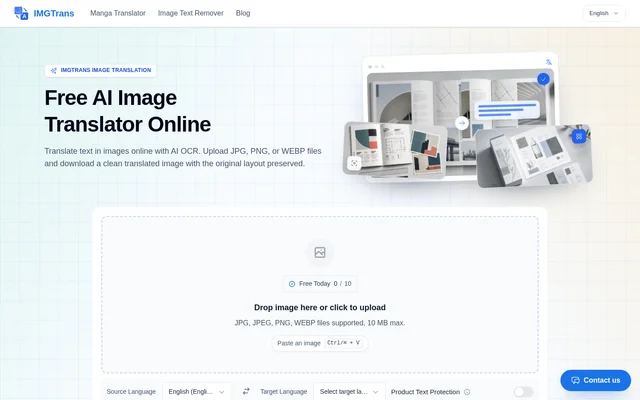
Image Translator is a browser-based AI tool that translates text inside images and returns a translated image with the original layout preserved. Image Translator combines OCR text detection with translation for photos, screenshots, comics, and product graphics. The website presents the service as free and available without installation.
Image Translator serves people reading foreign-language visual content, including travelers, manga readers, students, and online sellers. The website states support for over 100 languages and describes language pairs such as Japanese to English, Korean to English, and English to Spanish. The intended output is a translated picture rather than only extracted text.
What Image Translator can do
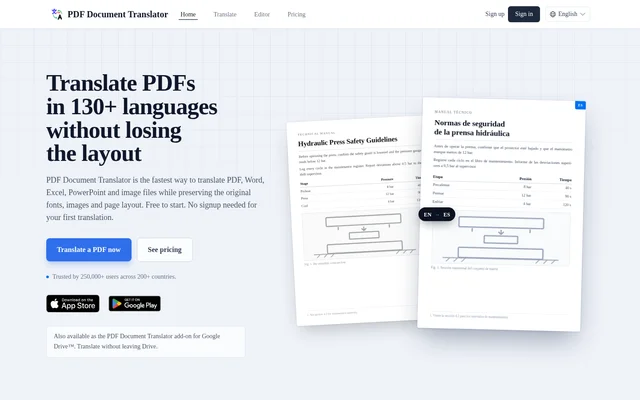
Image Translator provides general image text translation alongside capabilities for comics and commercial graphics. Layout preservation places translated text back into the image context, while text in-painting replaces comic text without removing the surrounding artwork. Product Text Protection is intended to retain brand names and key original text when localizing product images.
- Image Translator detects image text using AI OCR.
- Image Translator preserves the original layout in translated images.
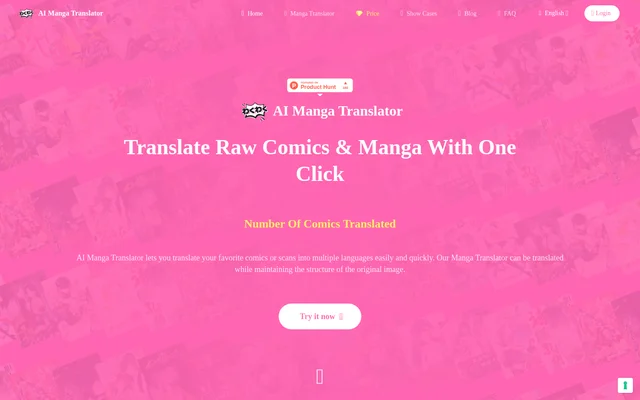
- Image Translator detects speech bubbles in manga and comics.
- Image Translator protects brand names and key product text.
- Image Translator processes multiple images in batches.
- Image Translator provides watermark-free image downloads.
How Image Translator works
Image Translator accepts images through drag-and-drop, file upload, or clipboard paste. The interface includes source and target language controls and a Product Text Protection option. After upload, AI OCR detects the text and translates the content while preserving its placement. Users can preview the translated picture and download the result.
Image Translator lists JPG, JPEG, PNG, and WEBP in the upload interface, with a 10 MB maximum file size. The FAQ additionally mentions HEIC support. The responsive website supports phone use for translating menus, signs, and manuals. Recent translations appear in the same browser for the last 24 hours.
Who Image Translator is for
Image Translator addresses reading and localization tasks where text is embedded in a picture. Manga readers can translate speech bubbles, while sellers can adapt listing graphics for other languages. Travelers can interpret photographed information, and students can translate study notes, including handwriting. Batch processing also supports workflows involving whole manga chapters or product catalogs.
- Image Translator translates manga, manhua, and manhwa for readers.
- Image Translator localizes product images, size charts, and banners for sellers.
- Image Translator translates menus and road signs for travelers.
- Image Translator handles handwritten study notes for students.
Image Translator pricing and access
Image Translator is advertised as a free online service with no installation required. The website includes watermark-free downloads as part of the translation workflow and describes batch processing among its capabilities. Access takes place through the website, where users can upload an image, translate its text, and download the resulting picture.
Image Translator strengths and limitations
Image Translator combines layout-preserving translation, comic-specific text handling, and product text protection in a browser workflow. Batch processing and mobile access support different image translation tasks. The website states that images are processed securely and deleted from its servers after translation; this is a stated privacy policy rather than an independently verified security assessment.
- Image Translator limits uploaded files to 10 MB in the upload interface.
- Image Translator keeps recent task visibility within the same browser for the last 24 hours.
- Image Translator lists HEIC in the FAQ but not among the upload interface formats.
Image Translator FAQ
What is Image Translator?
Image Translator is a free online AI tool that detects and translates text inside images while preserving the original layout. Image Translator supports photos, screenshots, comics, and product graphics, with translated results available as watermark-free image downloads.
Is Image Translator free?
Image Translator is advertised as free to use online with no installation required. Image Translator provides an upload, translation, preview, and download workflow, and the website states that translated image downloads are watermark-free.
Can Image Translator translate manga and manhwa?
Image Translator supports manga, manhua, and manhwa translation using speech bubble detection and text in-painting. Image Translator replaces text while keeping the surrounding artwork intact, and batch processing can handle multiple images such as manga chapters.
What image formats does Image Translator support?
Image Translator lists JPG, JPEG, PNG, and WEBP in its upload interface, which also specifies a 10 MB maximum file size. Image Translator additionally mentions HEIC support in its FAQ, although HEIC is not listed in the upload area.
Does Image Translator support batch translation?
Image Translator supports batch image translation by allowing users to drag and drop multiple files for simultaneous processing. Image Translator describes whole manga chapters and product catalogs as examples of content suited to this workflow.
Does Image Translator store uploaded images?
Image Translator states that uploaded images are processed securely and deleted from its servers after translation. Image Translator separately shows translations created during the last 24 hours in a recent-tasks area that stays only in the same browser.
From the community
No reviews yet
Be the first to review this tool. What you write helps the next person choose.