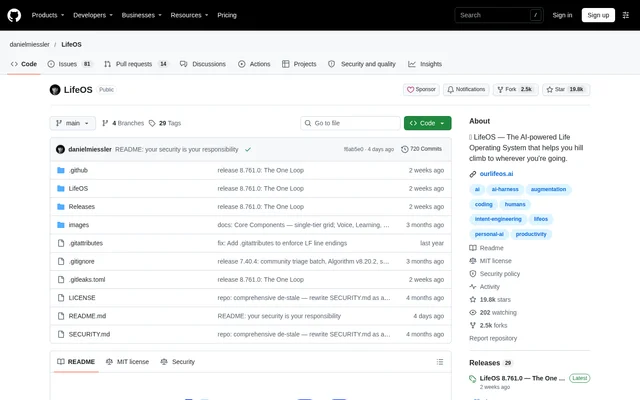
What is LifeOS?
LifeOS is an open-source, general-purpose AI harness for personal and professional work. LifeOS captures who a user is, what matters to them, and where they want to go, then makes that context available to their AI assistant. The stated organizing concept is moving from a Current State toward an Ideal State.
LifeOS is published in Daniel Miessler's GitHub repository as a personal AI harness made available to others. LifeOS adds a personalized operating layer to an existing coding harness rather than replacing that harness. The repository describes applications ranging from building software and starting a business to research and creative projects.
What LifeOS can do
LifeOS combines memory, personal context, specialized skills, and routing so an assistant can continue working with information from previous sessions. LifeOS ships 97 public skills across research, security, writing, art, video, publishing, and home-related work. The repository distinguishes these additions from capabilities already supplied by the underlying harness, such as built-in subagents.
- LifeOS remembers past sessions, decisions, and learnings.
- LifeOS makes goals, contacts, and preferences available without repeated explanations.
- LifeOS routes requests to relevant workflows automatically.
- LifeOS provides specialized skills for recurring tasks.
- LifeOS modifies its system based on what it learns.
- LifeOS consolidates knowledge, learnings, and work history across sessions.
How LifeOS works
LifeOS installs through a prompt given to a capable AI coding harness, with Claude Code, Cursor, Codex, and Hermes listed as examples. The agent reads the installation page and walks through setup, asking permission before making changes. LifeOS requires bun, and a terminal installation shortcut is available for Claude Code on macOS and Linux.
LifeOS is designed around hooks, skills, context files, and agentic routing rather than a single vendor's features. The implementation uses TypeScript and Bash. Claude Code is the environment used to build and run LifeOS and is described as the most-tested path. The installer also records choices about optional capabilities and can merge an existing installation.
Who LifeOS is for
LifeOS is intended for people who want an AI assistant to work with their goals, relationships, preferences, and ongoing projects. LifeOS is relevant to users already working with capable AI coding agents who want continuity between sessions and specialized workflows. The source explicitly names software development, starting a business, and creative projects as examples.
- LifeOS supports application-building work with personal and project context.
- LifeOS supports research through specialized skills and request routing.
- LifeOS provides skills for writing, art, video, and publishing.
- LifeOS carries goals and preferences into business and personal projects.
LifeOS pricing and access
LifeOS is free and open-source under the MIT License, with optional sponsorship available to support the project. LifeOS is obtained through the public repository and the linked installation instructions. Setup still depends on a capable AI coding harness and bun; the repository does not state pricing for those required external tools.
LifeOS strengths and limitations
LifeOS combines persistent context with reusable skills and workflow routing while preserving user customizations during installation and upgrades. LifeOS keeps USER/ customizations untouched, merges settings rather than overwriting them, and preserves assistant history. The source also recommends backups before upgrades and describes version control and reinstallation as recovery options.
- LifeOS is published as-is, and system security is not guaranteed.
- LifeOS requires users to accept responsibility for their system's security before installation proceeds.
- LifeOS changes frequently, including changes to security features.
- LifeOS lists local model support, remote access, outbound calling, and external notifications as roadmap work.
LifeOS FAQ
What is LifeOS?
LifeOS is an open-source, general-purpose AI harness that adds personal context, persistent memory, specialized skills, and workflow routing to a capable AI coding agent. LifeOS is designed to help users work toward goals across personal projects, software development, research, business, and creative work.
Is LifeOS free?
LifeOS is free and open-source under the MIT License, and the project accepts optional sponsorship. LifeOS requires a capable AI coding harness and bun, but the repository does not provide pricing information for those external requirements.
How do you install LifeOS?
LifeOS is installed by asking a capable AI coding harness to read https://ourlifeos.ai/install and perform setup. LifeOS installation asks permission before making changes and requires bun. The repository also provides a terminal shortcut for Claude Code on macOS and Linux.
Does LifeOS only work with Claude Code?
LifeOS is designed to be harness-agnostic, with installation examples naming Claude Code, Cursor, Codex, and Hermes. LifeOS uses hooks, skills, context files, and agentic routing. Claude Code is the most-tested option because the project is built and run using Claude Code.
What are the security limitations of LifeOS?
LifeOS is published as-is and does not guarantee the security of individual components or the system as a whole. LifeOS security features can change between releases, and the installer requires users to acknowledge responsibility for the security of their own systems before proceeding.
From the community
No reviews yet
Be the first to review this tool. What you write helps the next person choose.