What is Mailscribe?
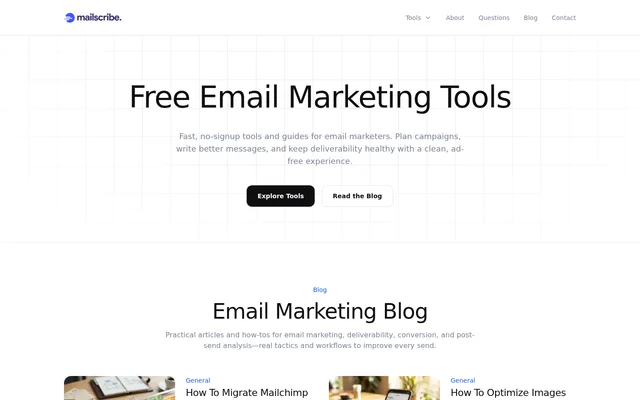
Mailscribe is a free collection of email marketing tools and guides for planning campaigns, writing messages, and checking deliverability. Mailscribe serves email marketers who need subject line ideas, address checks, SMTP tests, or practical guidance. Access requires no account, and the website states that the experience is free of ads and popups.
Mailscribe brings tools, blog articles, and community questions together on the same website. The blog addresses email marketing, deliverability, conversion, and post-send analysis. Published topics include migrating from Mailchimp to Klaviyo, building accessible templates, optimizing images for mobile, and coding responsive buttons that render in Outlook desktop.
What Mailscribe can do
Mailscribe provides tools for email copy and technical checks alongside guides for campaign planning. The named utilities cover subject line generation, individual email address verification, and SMTP testing. Mailscribe also offers deliverability checklists and community answers, giving marketers resources for both preparing messages and investigating sending questions.
- Mailscribe generates email subject line ideas.
- Mailscribe verifies an email address before sending.
- Mailscribe tests SMTP connectivity, TLS, and authentication.
- Mailscribe provides campaign planning and deliverability guides.
- Mailscribe publishes community questions answered by email professionals and practitioners.
How Mailscribe works
Mailscribe lets users open a tool and begin without creating an account. The website recommends choosing subject lines for copywriting, checkers for deliverability, and guides for campaign planning. Mailscribe states that prompts and generated results are not stored and that most tool state stays in the browser. Checked email addresses are also not stored.
Mailscribe advises users to treat results as support for practical decisions rather than guarantees. Findings should be checked against the user's email service provider, authentication setup, and real performance data. Mailscribe says using the tools does not affect sending reputation; deliverability depends on list quality, content, and authentication such as SPF, DKIM, and DMARC.
Who Mailscribe is for
Mailscribe is for email marketers working on campaign preparation, message copy, and deliverability. The site's articles and community questions also address newsletter engagement, e-commerce campaigns, accessible email templates, and sender warm-up. These resources cover practical questions that arise before sending campaigns and when reviewing engagement or delivery concerns.
- Email marketers can use Mailscribe to develop subject line ideas.
- Senders can use Mailscribe to check addresses and SMTP settings before sending.
- Email template creators can consult Mailscribe guides on accessibility and Outlook rendering.
- Newsletter and e-commerce marketers can browse Mailscribe community discussions about engagement.
Mailscribe pricing and access
Mailscribe is free to use and does not require signup. The website also states that Mailscribe displays no ads or popups. Users can access the tools directly, read the blog, or browse community questions. The contact page is the stated route for reporting bugs and requesting additional tools.
Mailscribe strengths and limitations
Mailscribe combines no-account access, an ad-free interface, and a stated policy of not storing prompts, generated results, or checked addresses. The combination of utilities and guides supports quick checks and further reading. Mailscribe nevertheless sets clear boundaries: results are not guarantees, and customer data should remain in the user's email service provider or CRM.
- Mailscribe results require verification against sending systems and actual performance data.
- Mailscribe advises against pasting sensitive lists into the tools.
- Mailscribe is intended for quick checks rather than storing customer data.
Mailscribe FAQ
What is Mailscribe?
Mailscribe is a free set of email marketing tools and guides for campaign planning, copywriting, and deliverability. Mailscribe includes email verification, SMTP testing, subject line generation, blog articles, and community questions answered by email professionals and practitioners.
Is Mailscribe free to use?
Mailscribe is free to use, requires no signup, and does not display ads or popups. Mailscribe lets users open a tool and start working without creating an account.
What tools does Mailscribe offer?
Mailscribe offers an Email Verifier, an SMTP Tester, and a Subject Line Generator. Mailscribe supports checking an address before sending, testing SMTP connectivity, TLS, and authentication, and generating subject line ideas, alongside campaign planning and deliverability guides.
Does Mailscribe store email addresses or generated results?
Mailscribe states that checked email addresses, prompts, and generated results are not stored, and most tool state stays in the browser. Mailscribe advises users not to paste sensitive lists and to keep customer data in their email service provider or CRM.
Are Mailscribe results guaranteed to be accurate?
Mailscribe describes results as support for practical decisions, not guarantees. Mailscribe recommends verifying findings against the user's email service provider, authentication setup, and real performance data before relying on the results.
Will using Mailscribe affect email deliverability?
Mailscribe states that using the tools will not affect sending reputation. Mailscribe explains that deliverability depends on list quality, content, and authentication, including SPF, DKIM, and DMARC.
From the community
No reviews yet
Be the first to review this tool. What you write helps the next person choose.