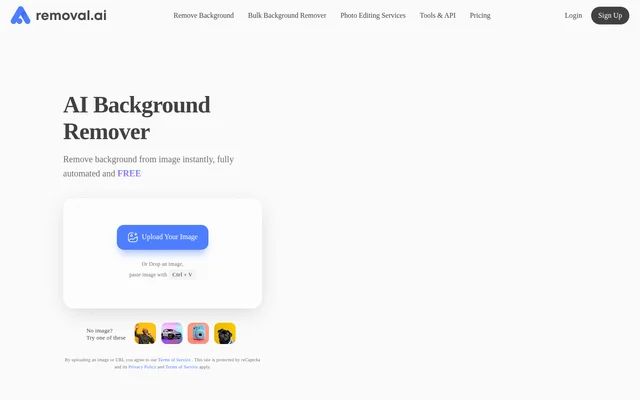
What is Removal.AI?
Removal.AI is an AI image background remover that automatically separates photo subjects from their backgrounds. Removal.AI serves individuals and professional users, including photographers, graphic designers, marketers, developers, ecommerce businesses, and enterprises. Supported image subjects include products, people, cars, animals, and graphics. Removal.AI combines automatic cutouts with an online editor so users can adjust the result and create additional visual content without moving to a separate design tool.
What Removal.AI can do
Removal.AI detects subjects automatically and produces cutouts with white, customized, or transparent backgrounds. Removal.AI states that background removal takes 3 seconds or less and includes processing for hair and furry edges. The accompanying online editor extends the workflow beyond background removal with tools for foreground adjustments, text, effects, and designs using marketplace presets and templates.
- Removal.AI removes image backgrounds automatically.
- Removal.AI processes over 1,000 images in a single upload.
- Removal.AI changes backgrounds to white, transparent, or customized alternatives.
- Removal.AI adds text and effects through its online editor.
- Removal.AI supports manual foreground editing with a background eraser.
- Removal.AI provides marketplace presets and templates.
How Removal.AI works
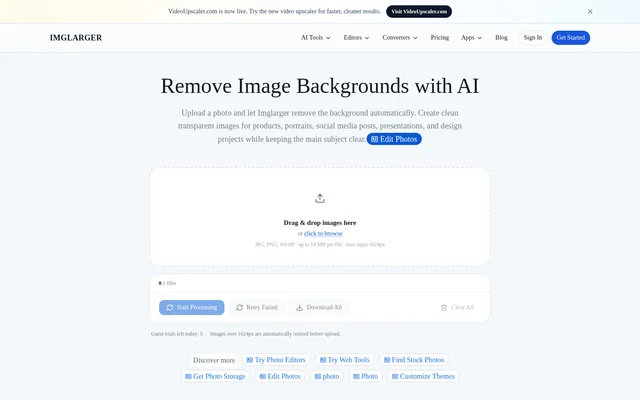
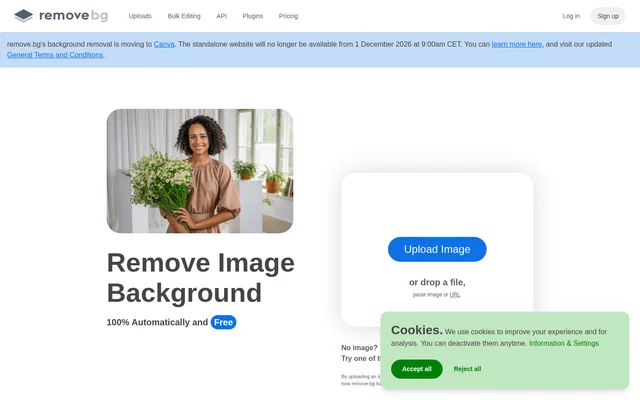
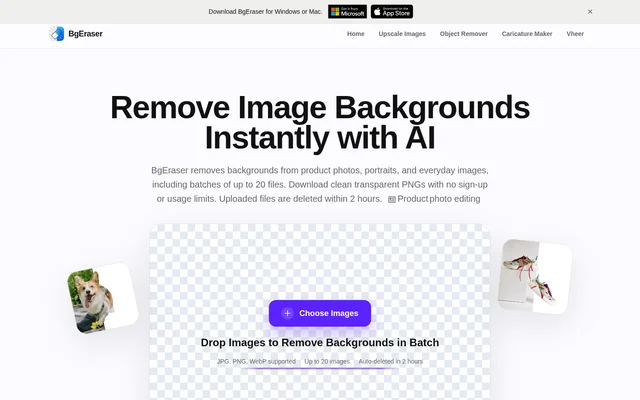
Removal.AI accepts images through an upload control, drag and drop, or clipboard pasting. After background removal, users can preview the cutout, adjust the foreground, edit the image, and download the result. Removal.AI credits enable high-resolution downloads and can be used through the online tool, API, or background remover apps.
Removal.AI offers API integration for existing systems and applications, alongside an Adobe Photoshop option and apps listed for Windows, Mac, and Linux. The pricing FAQ accepts JPG and PNG images up to 12 MB. Images above 36 MP are resized to that maximum resolution, and images need a clear subject for the best output.
Who Removal.AI is for
Removal.AI addresses both individual design tasks and business image workflows. Photographers can use background removal during photo editing, while marketers can place products into different visual contexts. Ecommerce businesses can process product photos in volume, and developers can embed background removal into applications. Removal.AI also lists enterprise users and offers arrangements for organizations with custom requirements.
- Removal.AI prepares clean product images for ecommerce catalogs.
- Removal.AI creates graphics for presentations and social posts.
- Removal.AI produces banners and other marketing visuals.
- Removal.AI adds image background removal to development projects.
Removal.AI pricing and plans
Removal.AI offers unlimited free previews and free background removal for personal use at 0.25 megapixels. Signing up provides a free credit for a high-resolution download. Paid options include monthly subscriptions and one-time credit purchases: the page lists 100 monthly credits for $5.99 and a one-time pack of 3 credits for $1.89.
Removal.AI one-time purchase credits remain available for 3 years. Monthly subscriptions allow unused credits to roll over up to 5x the monthly credit budget while the subscription remains active. Plans can be upgraded, downgraded, or cancelled at any time. Removal.AI also offers high-volume solutions and unlimited API access through a quote request.
Removal.AI strengths and limitations
Removal.AI combines automatic subject detection, manual editing, batch processing, and multiple access options in the same service. Free previews allow users to assess results before purchasing high-resolution downloads. Removal.AI recommends testing a few images with the free version to evaluate quality for specific images, and offers professional editors for more challenging images or requirements.
- Removal.AI reserves free background removal for low-resolution images and personal use.
- Removal.AI imposes an upload size limit of 12 MB.
- Removal.AI resizes images that exceed 36 MP.
- Removal.AI needs a clear subject for the best output.
- Removal.AI provides customer support in English only.
Removal.AI FAQ
What is Removal.AI?
Removal.AI is an AI background remover that automatically detects image subjects and creates cutouts with transparent, white, or customized backgrounds. Removal.AI also includes an online editor for changing backgrounds, adding text and effects, and manually adjusting the foreground.
Is Removal.AI free?
Removal.AI is free for personal-use background removal at 0.25 megapixels and offers unlimited free previews. Removal.AI provides a free credit for a high-resolution download when users sign up. Commercial use and higher-resolution downloads are covered by paid pricing options.
How much does Removal.AI cost?
Removal.AI offers monthly credit subscriptions, one-time credit purchases, and custom high-volume or unlimited API arrangements. Listed options include 100 monthly credits for $5.99 and a one-time pack of 3 credits for $1.89. One-time purchase credits are available for use within 3 years.
What image formats and sizes does Removal.AI support?
Removal.AI lists JPG and PNG support for uploads up to 12 MB in its pricing FAQ. Removal.AI resizes images larger than 36 MP to that maximum resolution and recommends images with a clear subject for the best background removal output.
Does Removal.AI have an API or desktop apps?
Removal.AI offers an API for integrating background removal into existing systems and applications. Removal.AI also lists an Adobe Photoshop option and apps for Windows, Mac, and Linux. Credits can be used through the online tool, API, and background remover apps.
Who is Removal.AI for?
Removal.AI serves individuals, photographers, graphic designers, marketers, developers, ecommerce businesses, and enterprises. Removal.AI supports uses such as preparing product photos, creating presentation graphics and social posts, designing marketing visuals, and embedding background removal into applications.
From the community
No reviews yet
Be the first to review this tool. What you write helps the next person choose.