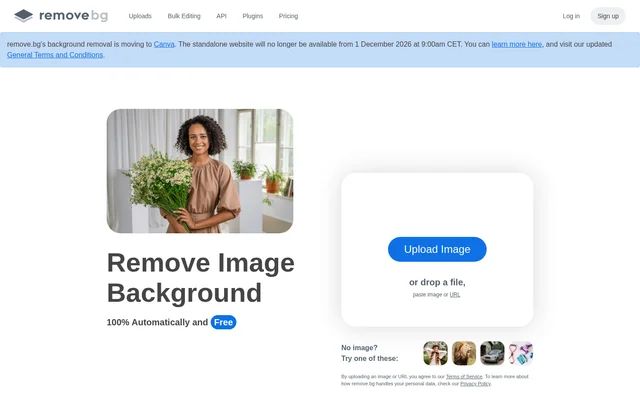
What is Remove-Bg.AI?
Remove-Bg.AI is an image background remover for individuals, photographers, and teams preparing photos or graphics. Remove-Bg.AI focuses on changing what appears behind the subject of an image: the page shows white backgrounds as an option for photos and transparent PNGs as an option for logos and graphics. The examples range from car listings and professional headshots to visuals for projects and presentations.
What Remove-Bg.AI can do
Remove-Bg.AI describes background removal as automatic. The page distinguishes between replacing a photo’s background with white and creating an image with a transparent background. The page names PNG as the format for transparent images and lists Magic Brush separately, without explaining what Magic Brush does.
- Remove-Bg.AI removes image backgrounds automatically.
- Remove-Bg.AI changes photo backgrounds to white.
- Remove-Bg.AI creates transparent PNGs for logos and graphics.
How Remove-Bg.AI works
Remove-Bg.AI describes the editing process in terms of the result. For a photo that needs a plain white background, the page describes changing the existing background to white. For a logo or graphic that needs no visible background, the page describes creating a transparent PNG. The page text does not explain how to submit an image or how to select either result.
Who Remove-Bg.AI is for
Remove-Bg.AI lists individuals, photographers, marketers, developers, e-commerce businesses, media teams, car dealerships, and enterprises as audiences. The examples show how the background choice depends on the image’s purpose: white for photos such as product shots or headshots, and transparent for graphics used in a project or presentation.
- Prepare e-commerce photos with white backgrounds.
- Change car listing photos to white backgrounds.
- Give professional headshots a white background.
- Create transparent PNGs for logos.
- Prepare transparent graphics for projects and presentations.
Remove-Bg.AI pricing and plans
Remove-Bg.AI advertises automatic image background removal as free. The page also includes a blog headline about a Black Friday discount on selected yearly plans. That headline mentions plans but does not establish current prices or offer availability. The page text does not specify which features come with a yearly plan or how those features differ from free background removal.
Remove-Bg.AI strengths and limitations
Remove-Bg.AI combines automatic background removal with distinct options for photos and graphics. The page gives concrete reasons to choose between them: a white background for a listing or headshot, and a transparent PNG for a logo or presentation graphic. The page is more specific about these results than about editing controls or differences between plans.
- The page names Magic Brush without explaining its controls.
- The page does not compare free use with the yearly plans.
- The page does not describe the steps for submitting an image.
Remove-Bg.AI FAQ
What is Remove-Bg.AI?
Remove-Bg.AI is a photo editing tool that automatically removes image backgrounds. Remove-Bg.AI can change photo backgrounds to white for product shots, car listings, and headshots, or create transparent PNGs for logos and graphics.
Is Remove-Bg.AI free?
Remove-Bg.AI advertises automatic image background removal as free. The page also includes a blog headline about a discount on selected yearly plans, but the text does not give plan prices or explain what the plans include.
Who is Remove-Bg.AI for?
Remove-Bg.AI is for individuals, photographers, marketers, developers, e-commerce businesses, media teams, car dealerships, and enterprises. The page gives examples including product photos, car listing images, professional headshots, and graphics for projects or presentations.
Can Remove-Bg.AI create a transparent PNG?
Remove-Bg.AI can create a PNG with a transparent background. The page describes transparent PNGs as an option for logos and other graphics used in projects or presentations, distinct from the white background option shown for photos.
Can Remove-Bg.AI make a photo background white?
Remove-Bg.AI can change a photo’s background to white. The page gives e-commerce product shots, car listing photos, and professional headshots as examples of images that can use a white background.
From the community
No reviews yet
Be the first to review this tool. What you write helps the next person choose.