What is Watermarkly?
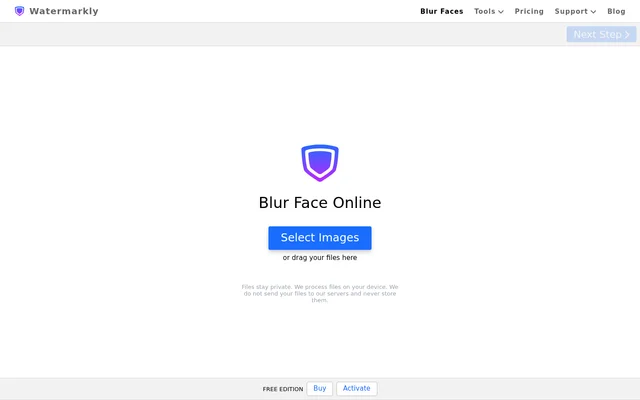
Watermarkly is a browser-based photo editing tool that uses AI to detect and blur faces in one photo or across a batch. Watermarkly also handles license plates and lets users manually blur identifying details before sharing photos or screenshots. The face blur app works in a browser on a computer, tablet, or smartphone, and Watermarkly also offers the blur tool as a REST API.
What Watermarkly can do
Watermarkly combines automatic detection with manual controls so users can decide what stays visible. When a blur covers more than intended, users can remove it or adjust its size and position. They can also switch between oval and rectangular shapes, rotate the blur to fit the area, and change its intensity. Exported images have softer blur edges than the editing preview shows.
- Watermarkly detects and blurs faces across a batch of photos.
- Watermarkly automatically blurs license plates.
- Watermarkly lets users add blur to selected areas or an entire image.
- Watermarkly exports JPEG, PNG, and WebP copies.
How Watermarkly works
Watermarkly accepts images by drag and drop or by import from a device, cloud storage, or a web page. After automatic face blurring, users can review the photos and make corrections before downloading processed copies. Export options include resizing to specific pixel dimensions or a target file size, renaming files, and choosing whether to keep image metadata. Copies can be saved to a device or exported directly to Google Drive, Google Photos, or Dropbox.
Who Watermarkly is for
Watermarkly is for people who need to obscure recognizable or sensitive details in images before sharing them. The page highlights journalists who want to protect the identities of sources, witnesses, or victims, as well as people sharing photos of children. The same editing controls apply to other personal information, such as a house number in a photo or an account number in a screenshot.
- Blur faces in news photos to help protect the identities of sources.
- Obscure children's faces before sharing photos.
- Hide house numbers or personal details in screenshots and photos.
Strengths and limitations of Watermarkly
Watermarkly applies face blur across a batch without requiring users to mark every face by hand. Users can still make individual corrections, and exports preserve the original images by saving separate copies. The page recommends checking the automatic results before downloading, both to catch faces that should be hidden and to restore faces that were blurred unnecessarily. Users who need logo-free exports must purchase an upgrade.
- Review the automatic results for faces that still need blur.
- Free exports include the Watermarkly logo.
- Paid upgrades allow use on up to 10 devices.
Watermarkly FAQ
What is Watermarkly?
Watermarkly is a browser-based photo tool that automatically blurs faces and license plates. Watermarkly can process multiple photos together and lets users adjust or remove individual blurs before downloading edited copies.
Can Watermarkly blur license plates and information in screenshots?
Watermarkly can automatically blur license plates and lets users manually blur sensitive details in screenshots, such as account numbers. Users can position and resize the blur, change its shape or angle, and adjust how strongly it obscures the selected area.
Can Watermarkly blur faces in multiple photos at once?
Watermarkly automatically detects and blurs faces across multiple uploaded photos. Users can review the batch, restore faces that should remain visible, and add blur to areas the automatic pass missed before downloading the edited copies.
Does Watermarkly have a blur API?
Watermarkly offers its blur tool as a REST API. Watermarkly also provides a browser app for uploading photos, reviewing automatically blurred faces, and manually adjusting blurred areas before export.
Does Watermarkly overwrite the original photos?
Watermarkly does not overwrite original photos. Watermarkly saves edited copies that can be downloaded to a device or exported to Google Drive, Google Photos, or Dropbox, with an option to keep the image metadata.
From the community
No reviews yet
Be the first to review this tool. What you write helps the next person choose.