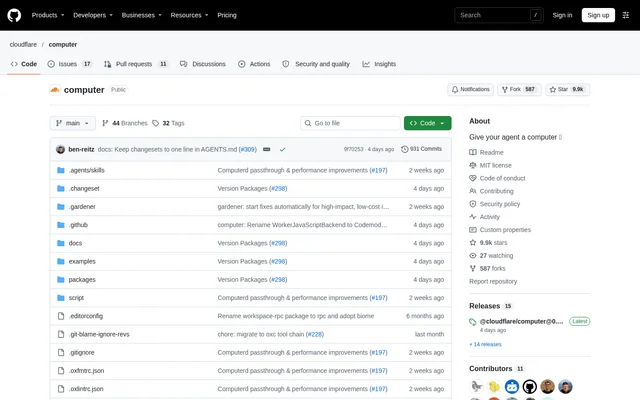
What is Cloudflare Computer?
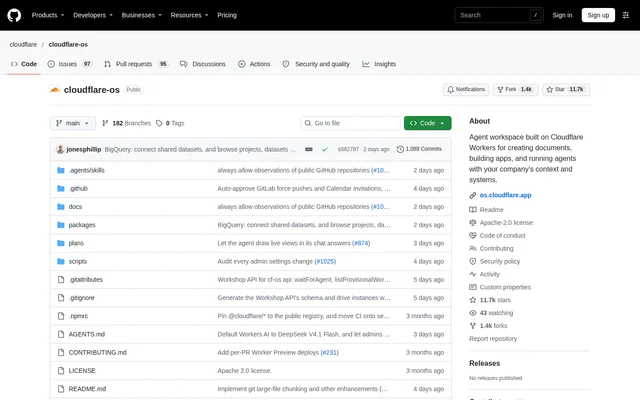
Cloudflare Computer is an open-source virtual filesystem that lives inside a Durable Object, with SQLite holding authoritative workspace state. Cloudflare Computer serves developers who need durable files and execution surfaces for agents or Worker applications. The project separates filesystem storage from execution, allowing a workspace to operate with multiple backends or with no execution backend at all.
Cloudflare Computer exposes execution through workspace.runtime, while individual packages document their own status and usage. The repository describes the top-level package as suitable for production use, with explicit exceptions for experimental components. This distinction matters when choosing between the filesystem surface and the available execution backends.
What Cloudflare Computer can do
Cloudflare Computer combines workspace storage with selectable execution environments. Each backend determines whether execution source is a shell command or an ECMAScript module. The available options cover a container with Linux userland, a just-bash shell in a Dynamic Worker, and module execution with structured inputs, results and workspace-backed filesystem access.
- Cloudflare Computer stores authoritative filesystem state in Durable Object SQLite.
- Cloudflare Computer projects workspace state into a container through a FUSE mount.
- Cloudflare Computer runs just-bash inside a Dynamic Worker.
- Cloudflare Computer evaluates ECMAScript modules with durable relative imports and configured libraries.
- Cloudflare Computer provides workspace-backed node:fs/promises and host modules for Git, artifacts and containers.
- Cloudflare Computer supports multiple registered backends and filesystem-only workspaces.
How Cloudflare Computer works
Cloudflare Computer uses workspace.runtime.exec(source, { backend }) as its execution entry point, and backends connect lazily on first use. The container backend relies on computerd to mount workspace state and synchronize changes over capnweb RPC. The isolate shell instead reaches the authoritative workspace through Workers RPC, without a second store or synchronization round trip.
Cloudflare Computer directs developers to install @cloudflare/computer and follow the package README for installation steps, entrypoints and filesystem and runtime examples. Runnable consumers live in the examples directory as Worker workspaces with their own READMEs. Repository setup also generates example environment types through wrangler types.
Who Cloudflare Computer is for
Cloudflare Computer is for developers implementing agent workspaces, tool execution and Worker-based applications. The repository demonstrates integrations through examples rather than presenting a finished consumer application. Examples include agent loops using pi and TanStack AI, a terminal-accessible @cloudflare/think agent, an MCP code tool, and generated JavaScript that processes long context through bounded model workers.
- Cloudflare Computer can provide a durable workspace for an MCP code tool.
- Cloudflare Computer can support an agent that writes a recipe card and runs pandoc to produce a PDF.
- Cloudflare Computer can generate a Worker project and publish the project to Cloudflare Artifacts.
- Cloudflare Computer can store a Workers AI-generated image and return a shareable link.
Cloudflare Computer pricing and access
Cloudflare Computer is distributed as an MIT-licensed open-source project, with @cloudflare/computer identified as the package to install when building on the project. The repository does not list product subscription plans or infrastructure prices. Access instructions focus on package installation, package-specific documentation and runnable examples rather than a hosted product sign-up.
Cloudflare Computer strengths and limitations
Cloudflare Computer keeps authoritative filesystem state separate from its execution backends and provides examples across containers, Dynamic Workers and agent workflows. The repository also distinguishes stable packages from experimental components and publishes filesystem benchmarks. The reported performance is workload-dependent: computerd's FUSE mount beats real disk on metadata-heavy work but trails real disk on large sequential I/O.
- Cloudflare Computer identifies container and Worker shell backends among the exceptions to the top-level package's stable status.
- Cloudflare Computer describes the design specification as forward-looking intent rather than current implementation documentation.
- Cloudflare Computer marks the legacy container backend as deprecated and directs new code to the current container example.
- Cloudflare Computer accepts issues and discussions but does not accept unsolicited pull requests.
Cloudflare Computer FAQ
What is Cloudflare Computer?
Cloudflare Computer is a virtual filesystem that lives inside a Durable Object and stores authoritative state in SQLite. Cloudflare Computer exposes pluggable execution through workspace.runtime, supporting container, isolate shell and codemode backends, or filesystem access without an execution backend.
Is Cloudflare Computer open source?
Cloudflare Computer is an open-source project distributed under the MIT license. Cloudflare Computer is available through the @cloudflare/computer package, with installation instructions and worked examples in the package README. The repository does not state product subscription or infrastructure pricing.
Is Cloudflare Computer ready for production?
Cloudflare Computer describes the @cloudflare/computer package as suitable for production use, with exceptions for experimental components. Cloudflare Computer lists container and Worker shell backends among those exceptions, and the repository explicitly warns that work-in-progress components such as ContainerBackend are unsuitable for production use.
How do developers install Cloudflare Computer?
Cloudflare Computer directs developers to install @cloudflare/computer and follow that package's README. Cloudflare Computer provides installation steps, an entrypoint map and worked filesystem and runtime examples there, while the repository's examples directory contains runnable Worker workspaces with separate READMEs.
Does Cloudflare Computer support MCP and AI agents?
Cloudflare Computer includes an MCP example with a Code Mode code tool backed by a durable workspace, a Worker shell and a Linux container. Cloudflare Computer also includes agent examples using pi, TanStack AI and @cloudflare/think, plus a long-context processing example.
Can Cloudflare Computer run without a container?
Cloudflare Computer can run a just-bash shell or ECMAScript modules in Dynamic Workers without using the container backend. Cloudflare Computer also allows a Workspace to be constructed without any backend, giving callers access to the filesystem on its own.
From the community
No reviews yet
Be the first to review this tool. What you write helps the next person choose.