What is Motion?
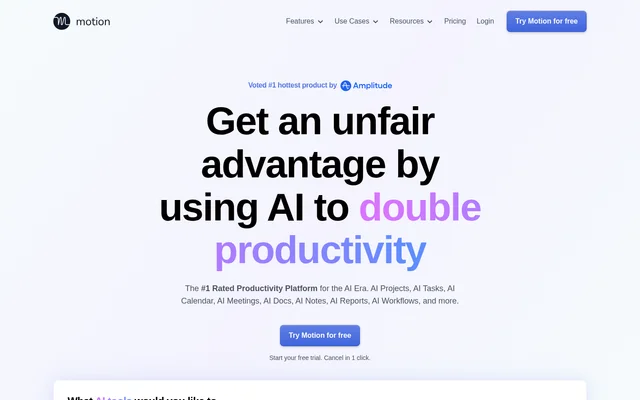
Motion is an AI productivity platform that brings project management, task scheduling, calendars, documents, and meeting notes into one workspace for individuals and teams. The connection between these tools is central to how Motion works: a meeting follow-up can become an assigned task in a project, and the task planner can block out time on the assignee’s calendar based on the deadline and other scheduled work.
What Motion can do
Motion handles both planning and follow-through. Motion can draft a project plan from a description, update project statuses as work progresses, and flag delays. For meetings, Motion produces notes alongside recordings and transcripts. The notes and summaries point to the relevant moments in the recording, so readers can check the discussion behind a takeaway.
- Motion schedules tasks based on priorities, deadlines, durations, and dependencies.
- Motion generates project stages, tasks, deadlines, and assignees.
- Motion creates booking pages that show meeting availability.
- Motion turns meeting action items into assigned project tasks.
- Motion drafts, edits, and summarizes documents.
- Motion estimates completion dates based on workload and team capacity.
How Motion connects tasks, calendars, and workflows
Motion combines Google, Outlook, and iCloud calendars in one view and replans scheduled work when priorities or deadlines change. Users can create tasks by forwarding Gmail, Outlook, or iCloud emails or by converting Slack or Teams messages. For recurring work, teams can draft a standard operating procedure in Motion, turn it into a workflow template, and use that template to create a project and assign its tasks.
Who Motion is for
Motion is designed for individuals as well as teams and businesses. An individual can combine work and personal calendars and see what to work on next. A project team can discuss decisions inside the relevant task, document, or project rather than separating the conversation from the work. Managers can use capacity information and completion forecasts to identify projects that may need more time or a different assignment.
- Plan daily work around deadlines and existing meetings.
- Turn meeting follow-ups into trackable assignments.
- Reuse an onboarding procedure for new hires.
- Identify workload bottlenecks across ongoing projects.
Motion pricing and plans
Motion offers access through a free trial and says the trial can be canceled in one click. The product page does not give the trial length, list plan prices, or describe which features are available on each plan. The trial offer does not establish that Motion has an ongoing free plan.
Motion’s strengths and limitations
Motion links meeting notes and documents to the work they generate, reducing the need to copy action items into a separate task list. Automatic rescheduling gives teams a way to adjust when deadlines or priorities shift. Motion presents generated project plans as drafts that still need a review and final edits. The meeting notetaker also lets participants combine their own notes with the AI output and check takeaways against the recording or transcript.
Motion FAQ
What is Motion?
Motion is an AI productivity platform that combines project management, task scheduling, calendars, documents, and meeting notes. Motion builds schedules from task deadlines and priorities, generates project plans from descriptions, and converts meeting action items into assigned tasks.
Is Motion free?
Motion offers a free trial, which the page says can be canceled in one click. The page does not specify the trial length, publish plan prices, or describe an ongoing free plan.
Who is Motion for?
Motion is for individuals and teams that want to coordinate tasks, calendars, and projects. Individuals can plan work around existing commitments, while teams can assign project tasks, track delays, review capacity, and collaborate inside shared projects and documents.
Which calendars does Motion support?
Motion combines Google, Outlook, and iCloud calendars in one interface. Motion uses calendar availability to schedule tasks and meetings, and it can create booking pages that show available meeting times.
Can Motion turn meeting notes into tasks?
Motion can turn meeting action items into tasks, assign them to the relevant people, and organize them under the relevant project. Motion also saves meeting summaries, notes, recordings, and transcripts in a document linked from the calendar.
Can Motion create a project from a description?
Motion can generate a project plan from a description and relevant documents. The plan can include stages, tasks, deadlines, and assignees. Motion describes the generated plan as needing a quick review and final refinements.
From the community
No reviews yet
Be the first to review this tool. What you write helps the next person choose.